Takumi Runner Now Integrates with cicd-sensor

Takumi Runner now integrates with cicd-sensor, an open-source eBPF runtime security sensor. You can now collect trace logs from CI/CD jobs that run outside Takumi Hosted Runner, such as on GitHub-hosted runners and GitLab CI/CD, and manage them in Takumi Runner.

cicd-sensor trace logs also work with the threat detection feature released today.
Background
Takumi Hosted Runner collects eBPF traces — process executions, network connections, DNS queries, and file accesses — by running jobs on Takumi Runner's dedicated runners. On the other hand, moving jobs to Takumi Hosted Runner is sometimes difficult, whether due to execution environment constraints or the effort of migrating.
For those cases, we now provide a way to use cicd-sensor, which requires no migration of the execution environment. Add cicd-sensor to a CI/CD pipeline and specify Takumi Runner's Manager endpoint and credentials, and the trace logs will be sent to Takumi Runner.
As the architecture figure above shows, Takumi Hosted Runner collects trace logs by running CI/CD jobs on dedicated runners that we operate. The cicd-sensor integration instead adds cicd-sensor to the environment you already use — GitHub-hosted runners, self-hosted runners you operate yourself, and so on — and sends the logs traced there to Takumi Runner.
Benefits
Trace logs collected through cicd-sensor are managed the same way as Takumi Hosted Runner trace logs, so trace log visualization, search, and threat detection are all available for them.
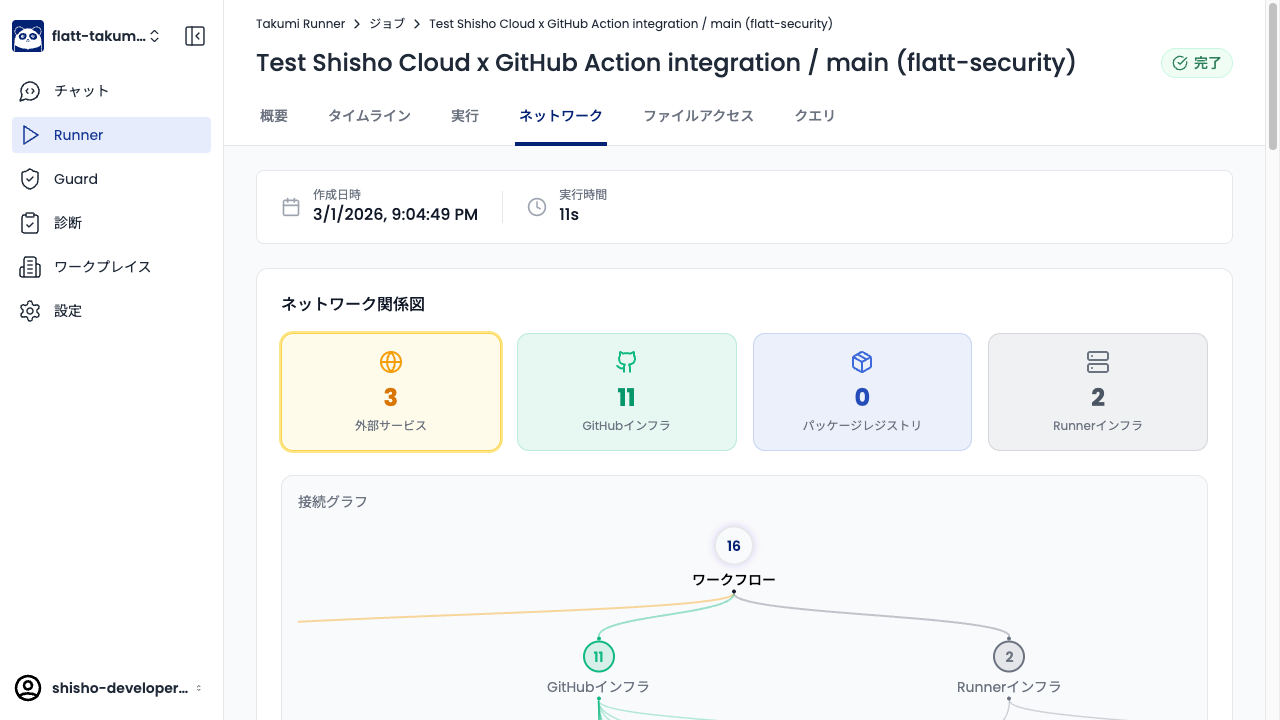
Trace log visualization
You can review the visualized trace data in the Takumi Runner console.
Trace log search
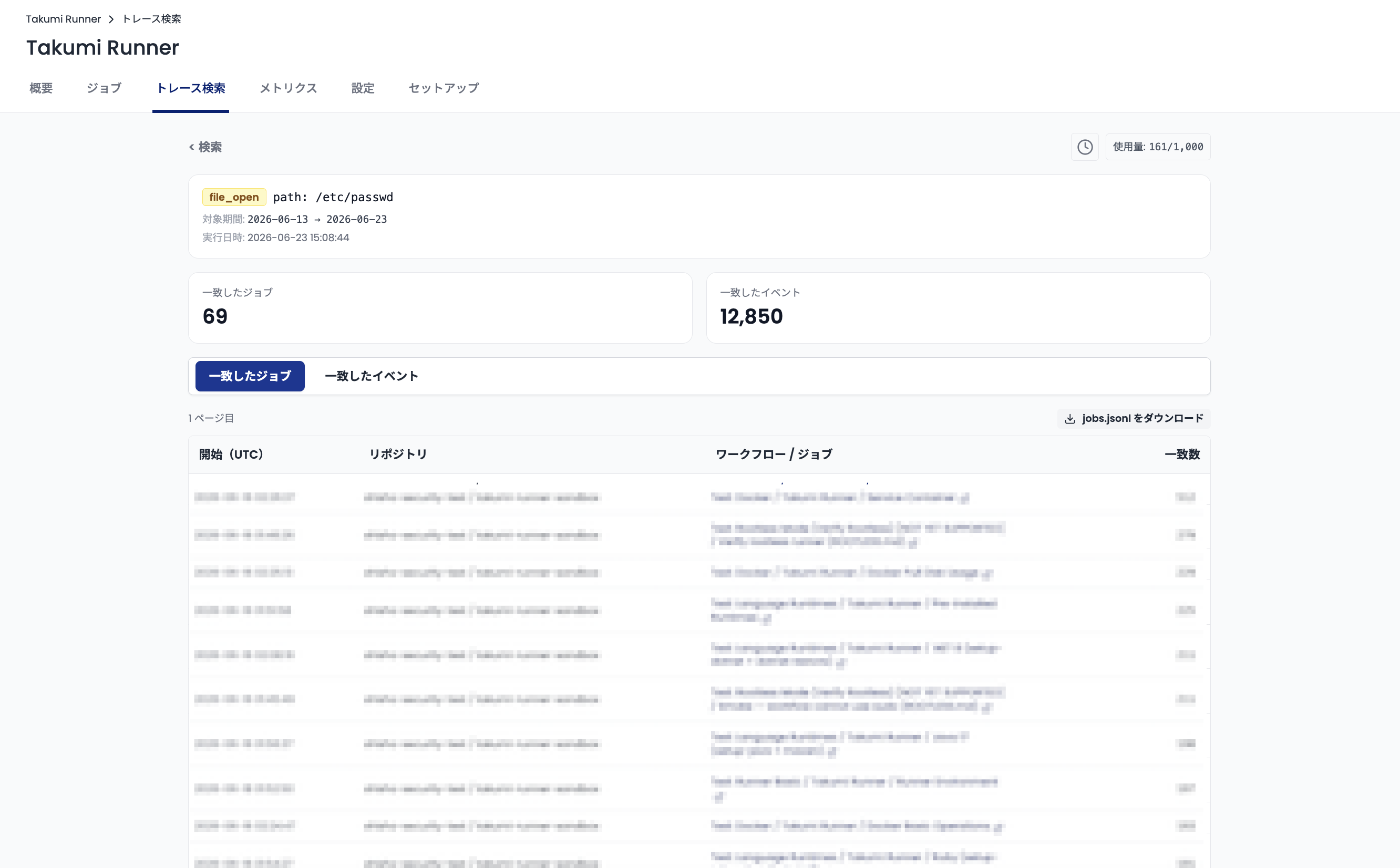
Takumi Runner lets you search the contents of the collected trace logs. You can check whether the CI/CD jobs that ran during a supply-chain incident were affected.
Threat detection
Threat detection proactively investigates the impact of a supply-chain incident based on the trace logs and notifies you if you are affected. Since it removes the need to investigate yourself, it addresses gaps in expertise and the risk of missing an incident.

Supported CI/CD pipelines
The cicd-sensor integration does not depend on the execution environment, so as a rule it supports the CI/CD pipelines that cicd-sensor supports. At the time of writing, GitHub Actions and GitLab CI/CD are supported. For GitLab CI/CD, self-hosted GitLab Runners (Docker executor) are covered.
Getting Started
The cicd-sensor integration takes three steps:
- Add cicd-sensor to the CI/CD job
- Set Takumi Runner's Manager as cicd-sensor's
manager-url - Set the credentials as cicd-sensor's
manager-token
GitHub-hosted runners
Add the cicd-sensor step at the beginning of the job and specify the Manager endpoint in the manager-url parameter.
jobs:
  build:
    runs-on: ubuntu-latest
    steps:
      - uses: cicd-sensor/cicd-sensor-action@49560b716a9abba9190a48c0b6bca18ba98918e8 # v0.0.40
        with:
          manager-url: https://manager.cicdsensor.cloud.shisho.dev
          manager-token: ${{ secrets.SHISHO_CICD_SENSOR_TOKEN }}
Authentication (manager-token) is performed through a Shisho Cloud bot. For how to set up authentication, including creating the bot, see the user guide.
Once the job execution completes, the job and its traces are reflected in the Takumi Runner console.
GitHub self-hosted runners and GitLab CI/CD
In these environments, cicd-sensor runs on the runner's host, so installing cicd-sensor and configuring the Manager endpoint happen on the host rather than in the pipeline. For how to set this up, see the cicd-sensor documentation.
Takumi Runner's Manager endpoint is https://manager.cicdsensor.cloud.shisho.dev.
For the credentials, issue an API key in the Takumi console and specify it as the manager-token. For details on creating a bot and API keys, see the user guide.
Pricing
The cicd-sensor integration requires the Takumi Runner base plan.
Within the base plan, we accept trace logs for up to a total of 3,000 minutes of job run time per month. From September 1, 2026, accepting logs for job runs beyond 3,000 minutes incurs a per-minute fee.
Until August 31, 2026, we accept trace logs with no 3,000-minute cap.
For details on the cicd-sensor integration pricing, see Pricing.
Getting Started with Takumi Runner
To use Takumi Runner, including the cicd-sensor integration, you need a Takumi subscription and Runner enabled.
- Go to https://cloud.shisho.dev/hello/takumi and sign in
- Register your organization and subscribe to Takumi
- Open Runner > Settings from the sidebar on the left
- Click the "Enable" button to enable Runner
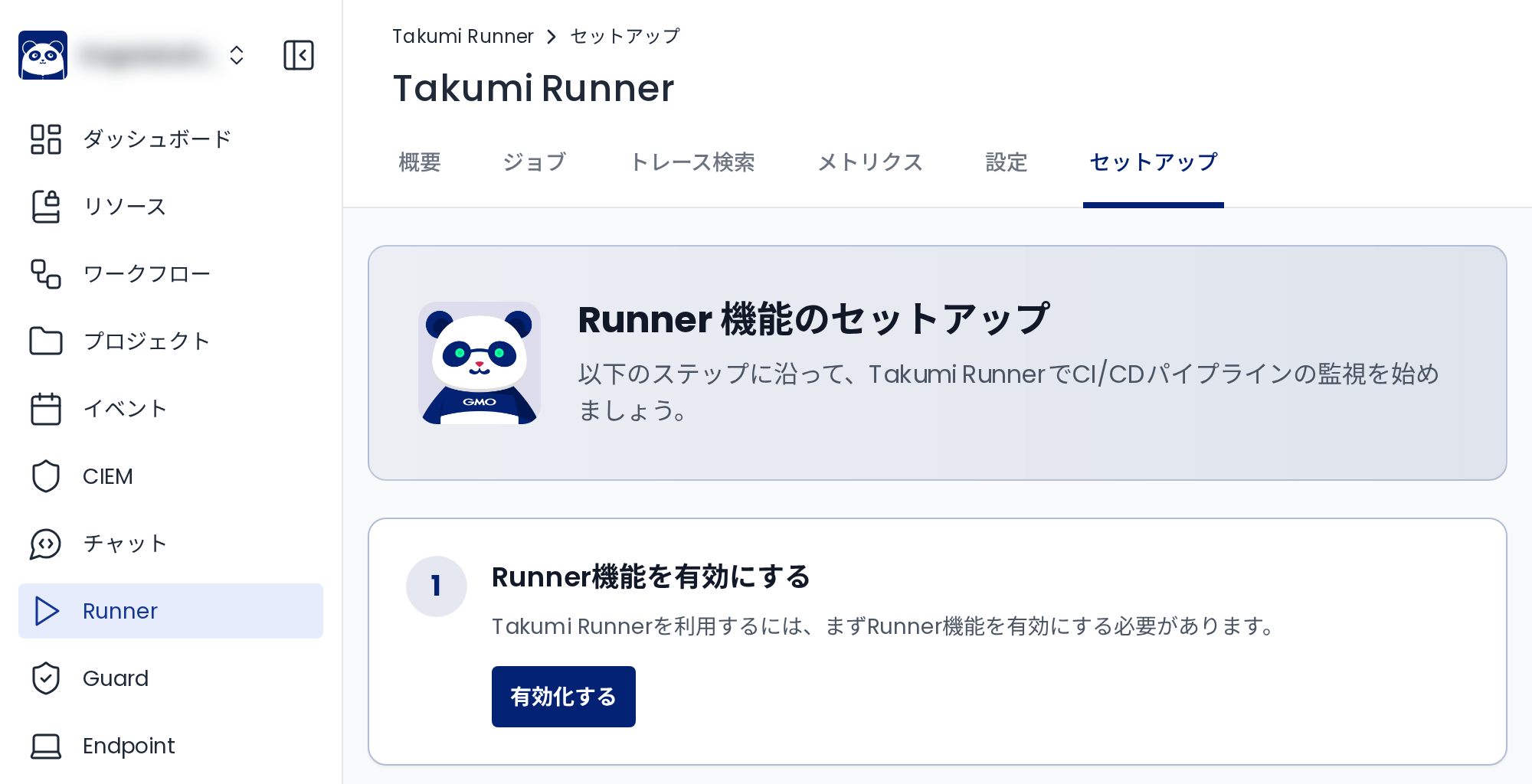
Once Runner is enabled, follow the cicd-sensor integration user guide to complete the setup.