Takumi Runner Trace Search Released

Takumi Runner now lets you search the trace data it has collected over a date range you specify. Previously you could only search the trace data of a single job, but with this search feature you can detect suspicious activity across every job within a given period.
This page also walks through how to use the search feature with real-world examples, such as the axios supply chain attack in March 2026. See Examples below.
Getting Started
In the Shisho Cloud console, open Runner > Trace Search.
First, choose a date range and select the event types you want to search. Enter your search criteria and click Search to start the search.
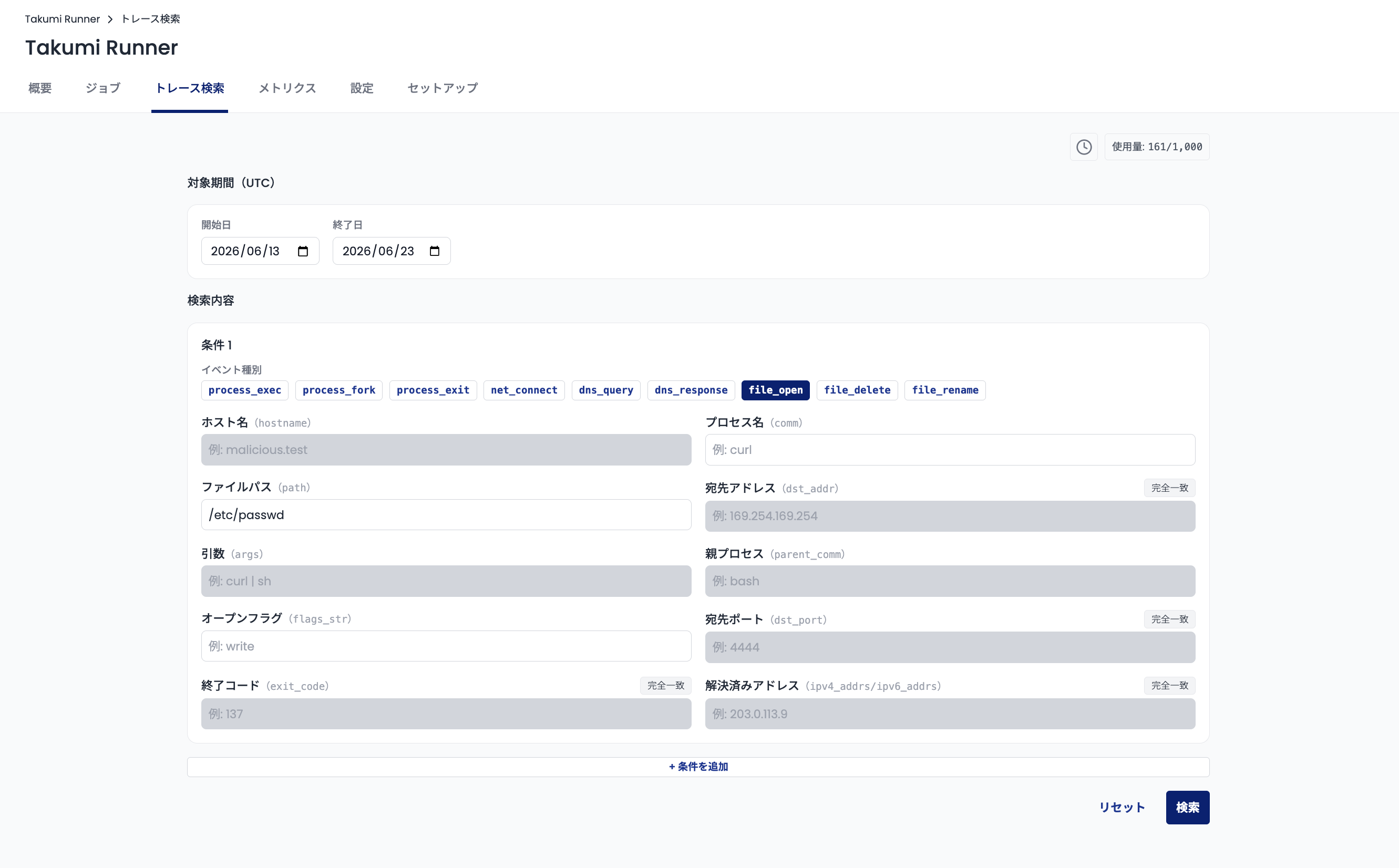
Trace data before 2026-06-13 cannot be searched.
Once the search completes, you can review the search results. From this screen you can:
- Review statistics for the matched jobs and events
- Inspect the matched jobs and events in detail
- Download the search result data
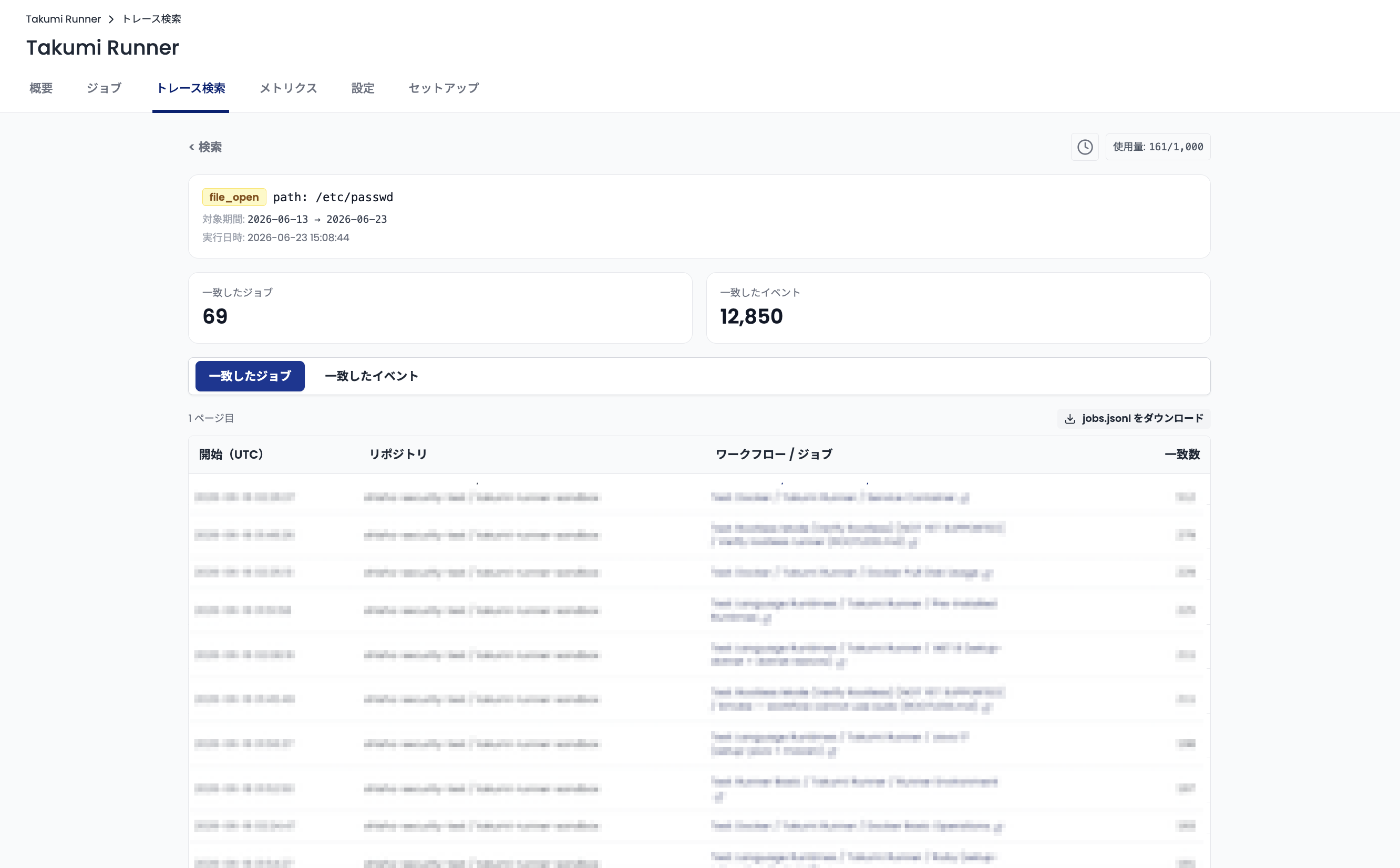
Search results are retained for 72 hours.
For details, see the trace search documentation.
Examples
Axios supply chain attack - hostname search
In March 2026, the npm package for the HTTP client library axios was compromised in a supply chain attack. For details on this incident, see our blog post.
Suppose an equivalent attack occurred three days ago. Based on our blog post and similar reports, the malware connects to dangerous.example (this page uses a fictional hostname that differs from the real one cited in the blog post).
Use the following search criteria to check whether any jobs executed by Takumi Runner were affected:
- Date range -
<3 days ago> ~ <day of search> - Event type -
dns_query - Hostname -
*dangerous.example
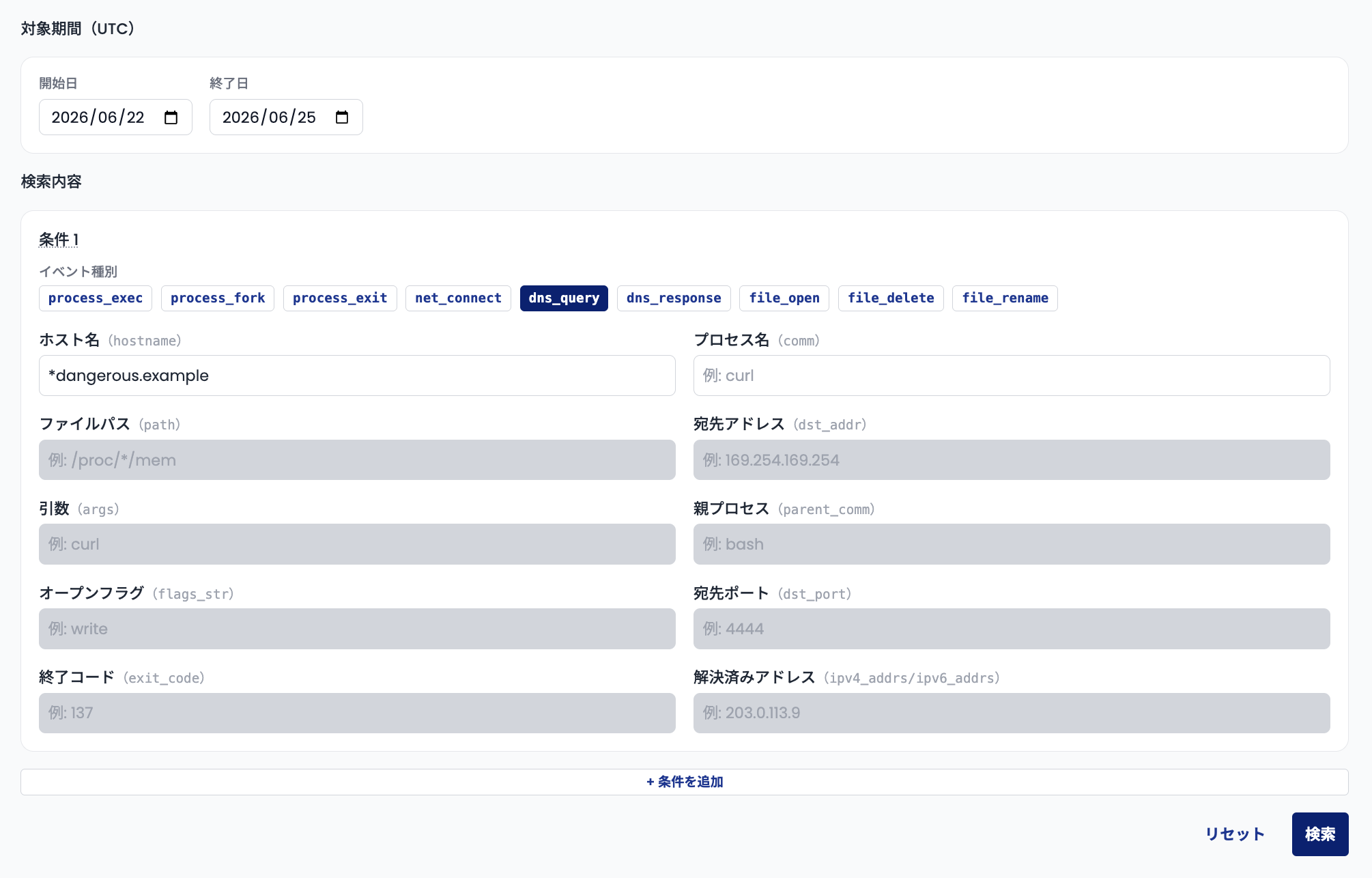
Add * at the beginning of the hostname so subdomains also match.
Run the search. If any jobs match, you can conclude they were affected by the attack.
GitHub Actions compromise - file access search
Attacks that compromise GitHub Actions and steal credentials have already occurred several times this year. For details, see our blog post.
Now suppose a similar GitHub Actions compromise occurred. Based on the blog post above, a typical pattern is reading credentials from process memory at /proc/<pid>/mem. If your jobs were affected, Takumi Runner retains trace data showing file access to /proc/<pid>/mem.
You can check for impact with the following search criteria:
- Date range -
<attack date> ~ <day of search> - Event type -
file_open - File path -
/proc/*/mem
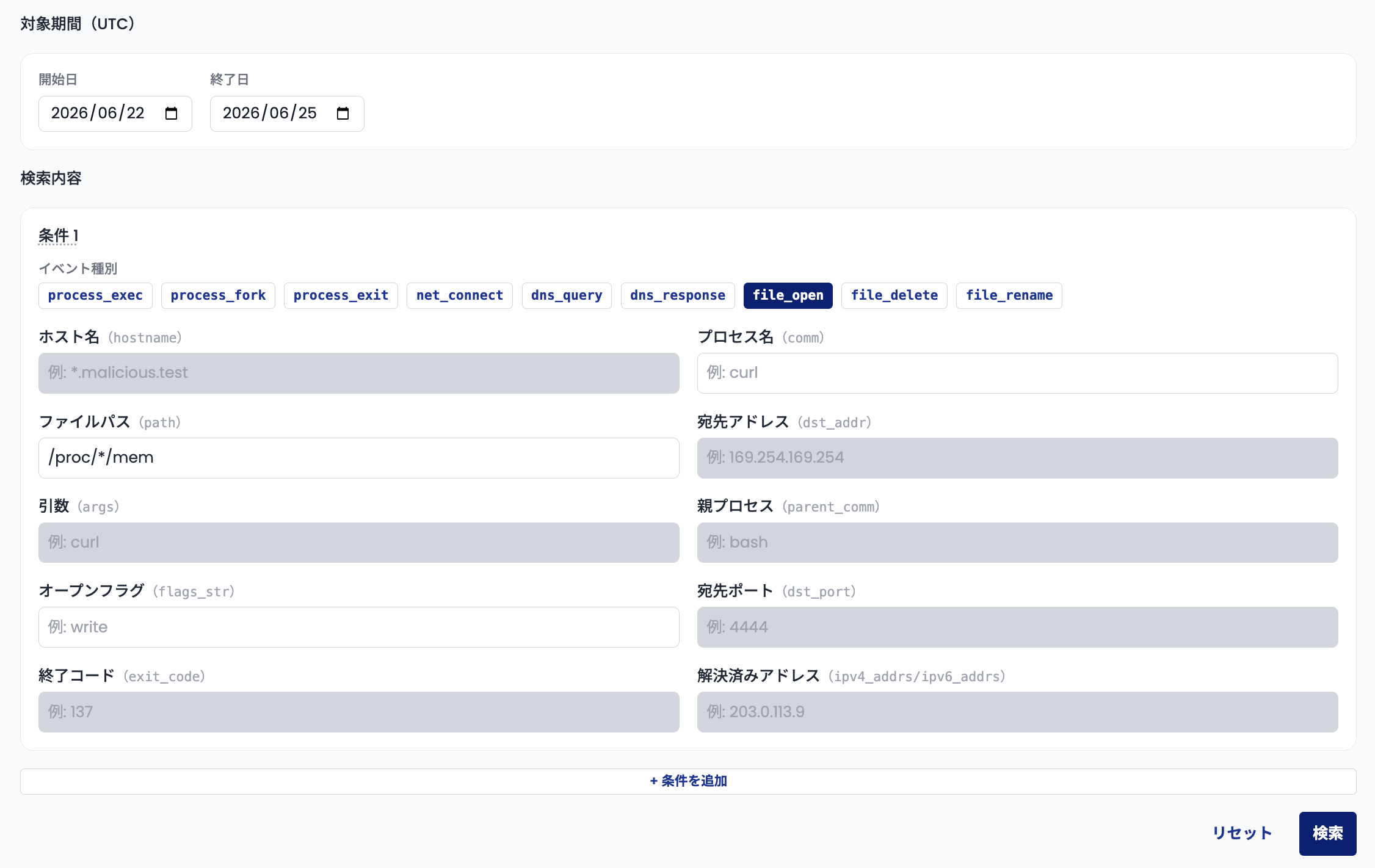
Since <pid> is not fixed, use * in the search.
Run the search. If any jobs match, you can conclude they were affected by the attack.