Trace Search
The English user guide is currently in beta preview. Most of the documents have been automatically translated from the Japanese version. Should you find any inaccuracies, please reach out to Flatt Security.
Trace search lets you search across the trace data collected by Takumi Runner. This search feature allows you to detect suspicious activity across all jobs within a specified date range.
To search for traces within a specific job instead of specifying a date range, please use the search feature in the Query tab on the job details screen.
Accessing the Trace Search Screen
Log in to the Shisho Cloud console and open it from Runner > Trace Search.
How to Search
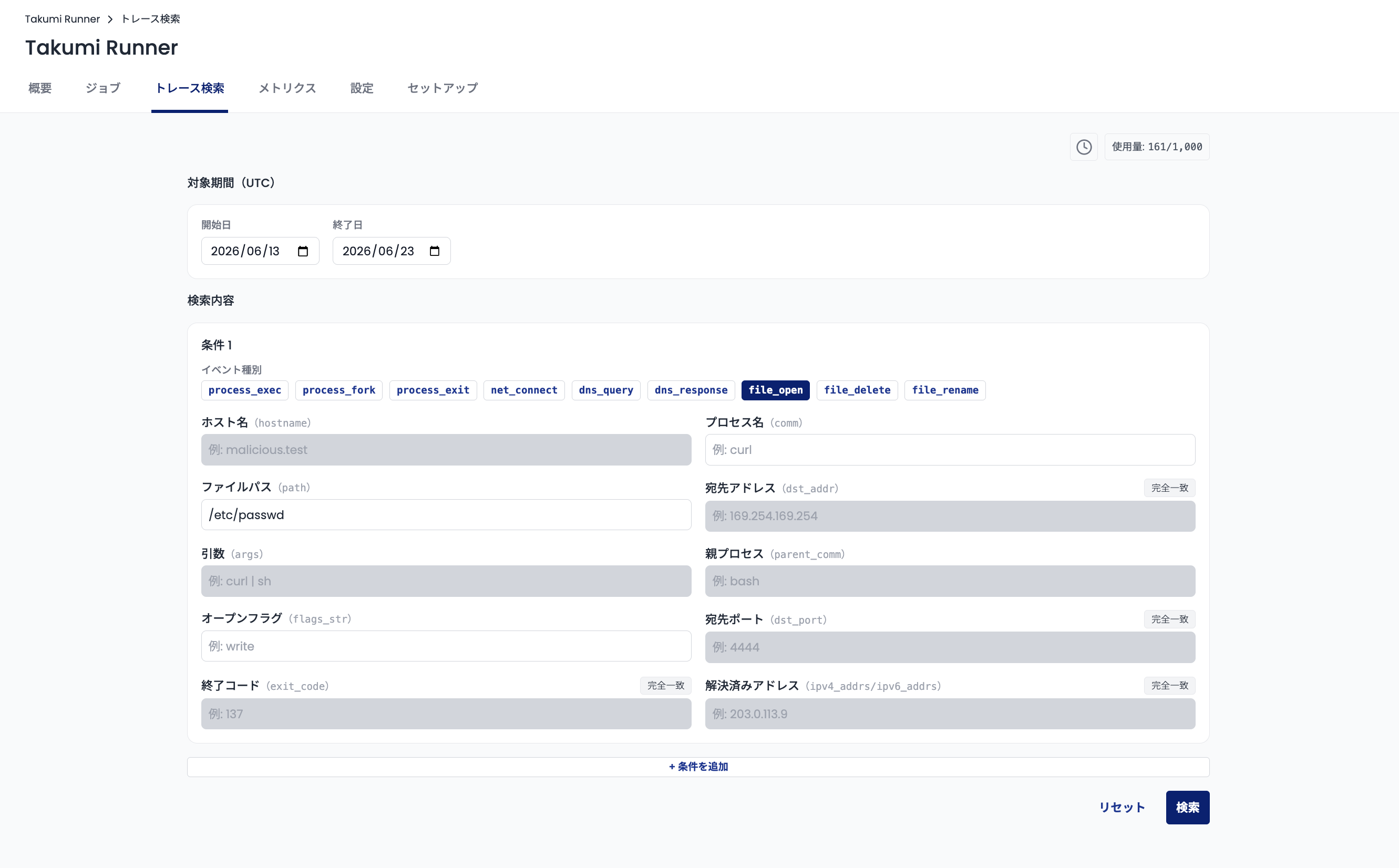
Date range
Choose the start and end dates (in UTC) to scan. A single search can span at most 15 days.
Because the retention period for traces is 30 days, data older than that cannot be searched.
Search criteria
Search criteria consist of one or more conditions.
Each condition requires an event type and trace content. When you select an event type, the trace content you can specify is limited to fields associated with that event type.
- Trace content is matched exactly
- The
*wildcard matches any string - If you specify multiple pieces of trace content in a single condition, they are combined with an AND condition
When multiple search criteria are specified, the search results are the union of the results for each criterion.
Run
Specify the date range and search criteria, then click Search to run the search. Depending on the volume of trace data and the search criteria, it may take a few minutes.
The Results
The results page shows summary statistics and the matching data. You can also download the data from this page.
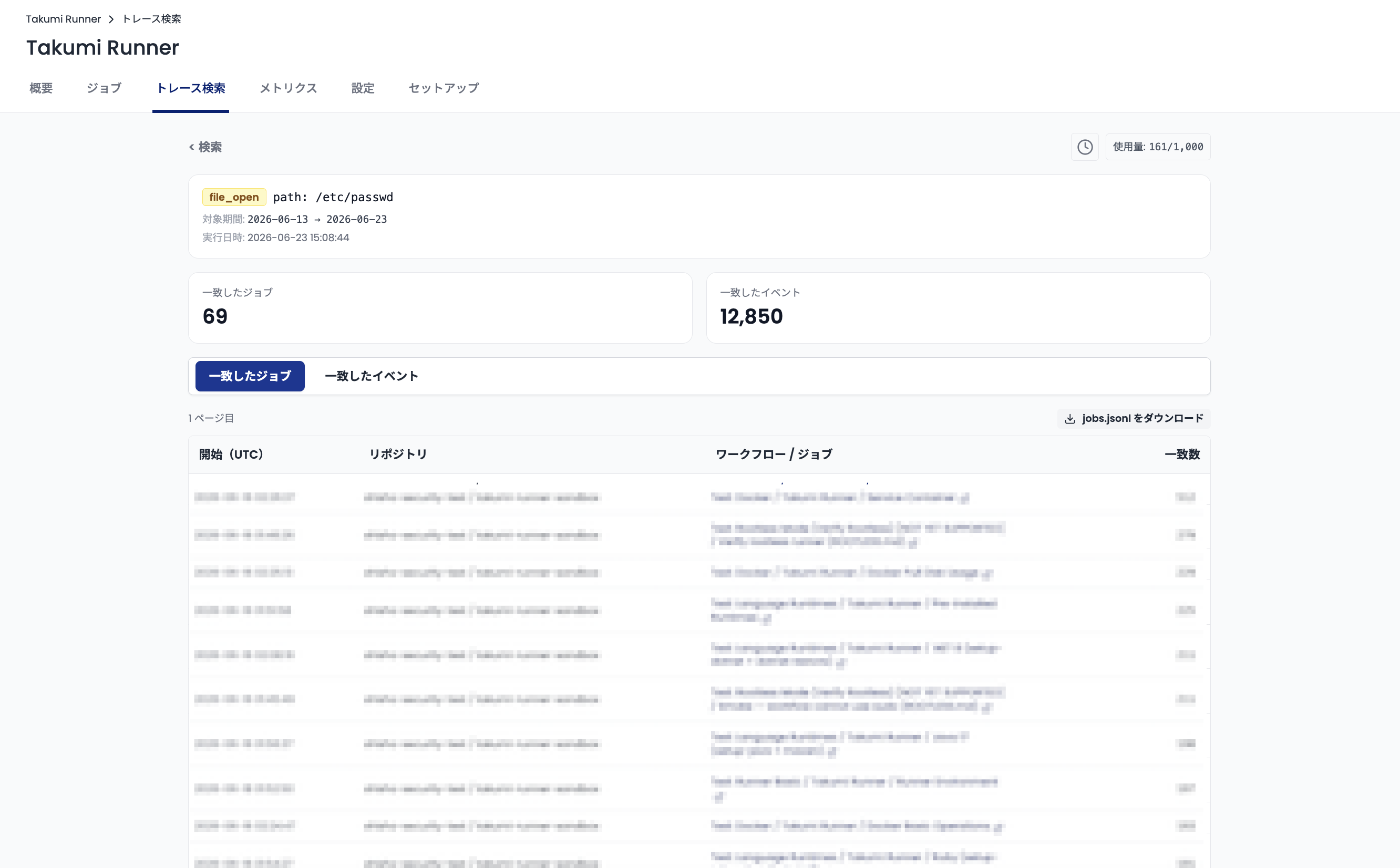
Summary statistics
- Jobs with matches — the number of jobs that contain trace events matching your search.
- Matching events — the total number of trace events that match your search.
Matched jobs
The Matched jobs tab lists the jobs that contain matching trace events. To download the matched-job data, click Download jobs.jsonl.
Matched events
The Matched events tab lists the matching trace events. To download the matched-event data, click Download events.jsonl.
The maximum number of events that can be displayed and downloaded in the search results is 500,000. Summary statistics and matched-job data are not affected by this limit.
Result availability
Search results are retained for 72 hours. To review past search results, click the history button at the top right of the screen.
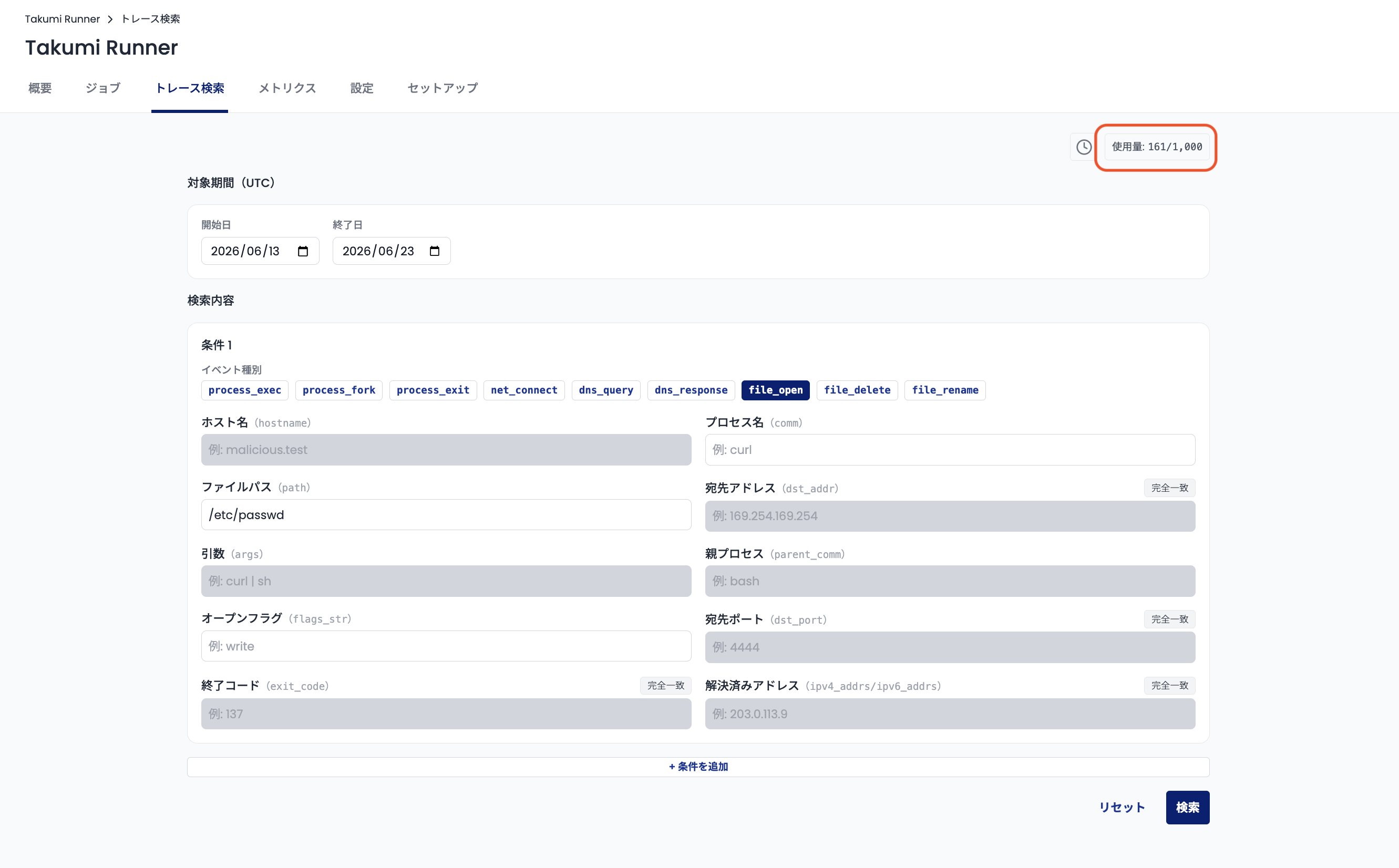
Monthly usage limit
Trace search has a monthly usage limit, measured in days. Each organization can search a total of 1,000 days per month. Usage resets on the first day of each month.
Examples
axios supply chain attack — searching for host connections
In March 2026, the axios npm package (an HTTP client library) was compromised in a supply chain attack. For details on this incident, see our blog post.
Suppose an equivalent attack occurred three days ago. Based on our blog post and similar reports, the attack connects to dangerous.example (this example uses a fictitious hostname rather than the actual hostname documented in the blog post above).
Use the following search criteria to check whether jobs run on Takumi Runner were affected:
- Date range -
<3 days ago> ~ <today> - Event type -
dns_query - Hostname -
*dangerous.example
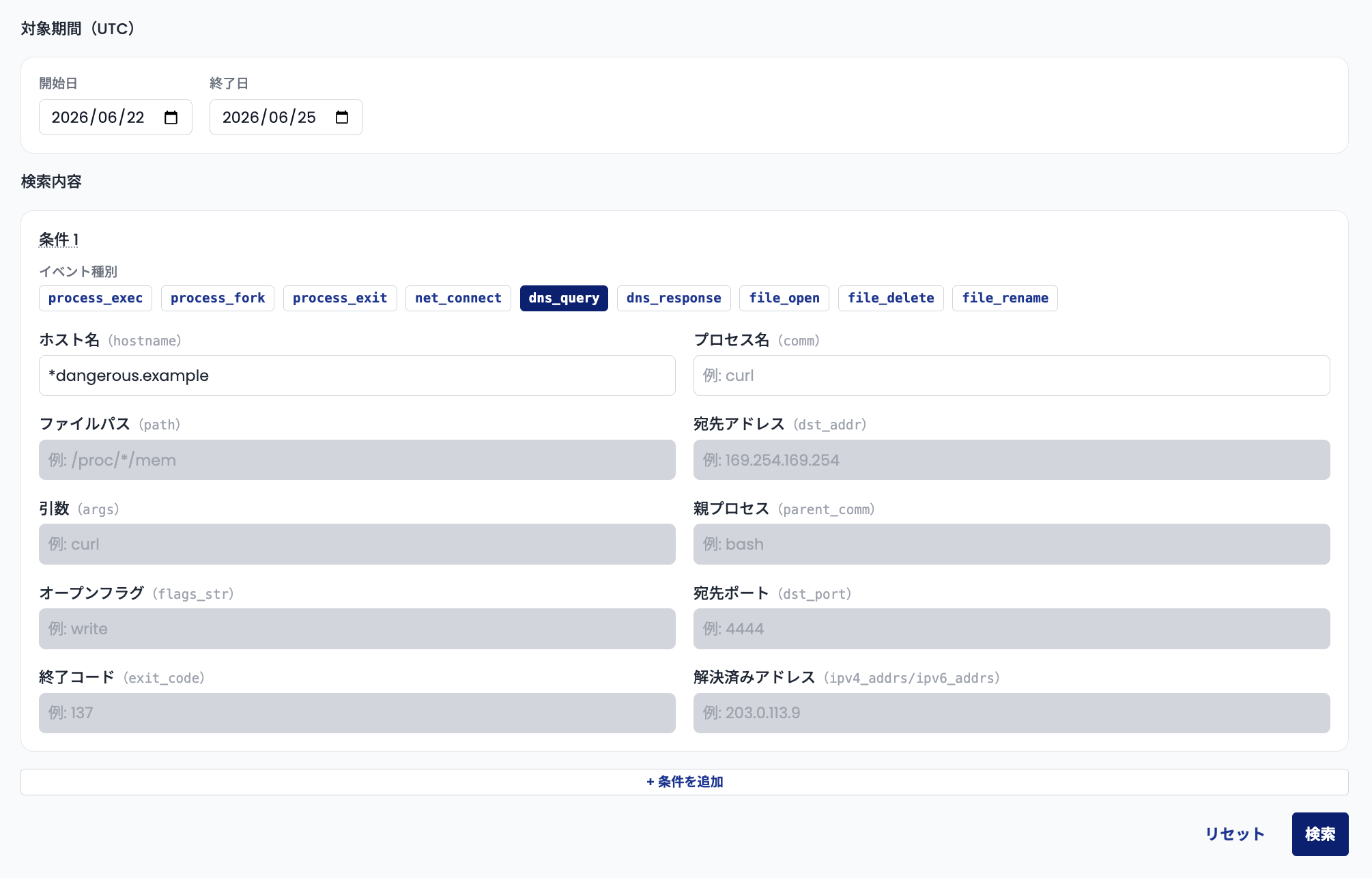
For the hostname, add * at the beginning so subdomains also match.
Run the search. If any jobs match, you can conclude they were affected by the attack.
GitHub Actions compromise — searching for file access
GitHub Actions has been compromised in several attacks where credentials were stolen. For details, see our blog post.
Suppose a similar GitHub Actions compromise occurred. Based on the blog post and similar reports, a representative pattern is reading credentials from memory at /proc/<pid>/mem. If your jobs were affected, Takumi Runner would retain traces of file access to /proc/<pid>/mem.
You can check for impact using the following search criteria:
- Date range -
<attack date> ~ <today> - Event type -
file_open - File path -
/proc/*/mem
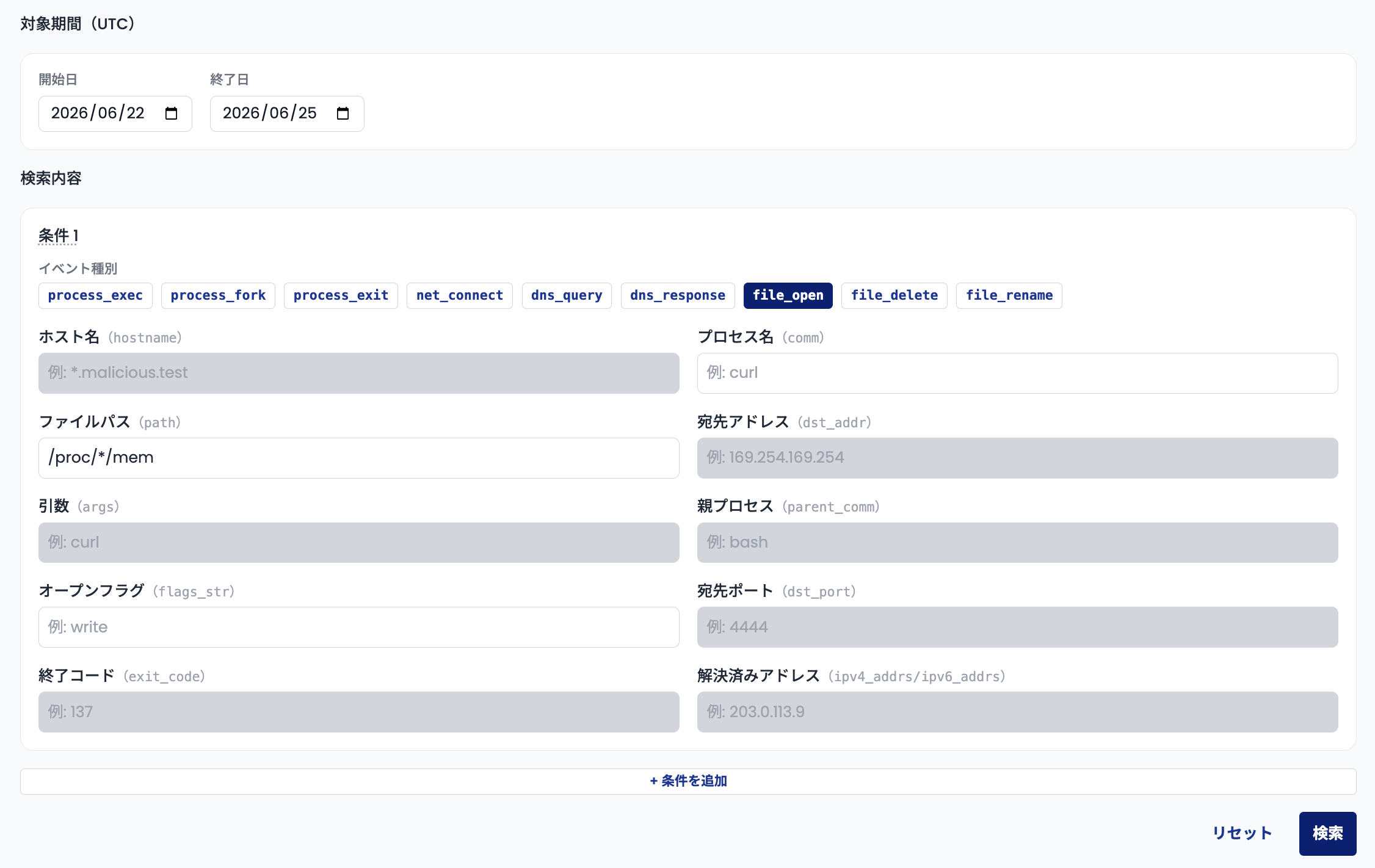
Because <pid> is not fixed, use * in the search.
Run the search. If any jobs match, you can conclude they were affected by the attack.