Takumi Guard: Admin Deployment for Organization-Wide Setup

Takumi Guard now provides deployment scripts for organization-wide setup. Administrators can roll out Guard to all developer machines using their existing management tools — no developer interaction required.
Overview
Setting up Takumi Guard on individual developer machines can be time-consuming, especially for large teams. The new admin deployment feature provides ready-to-use scripts that configure npm, pip, uv, and Poetry to use the Guard registry proxy, handling token issuance and credential setup automatically.
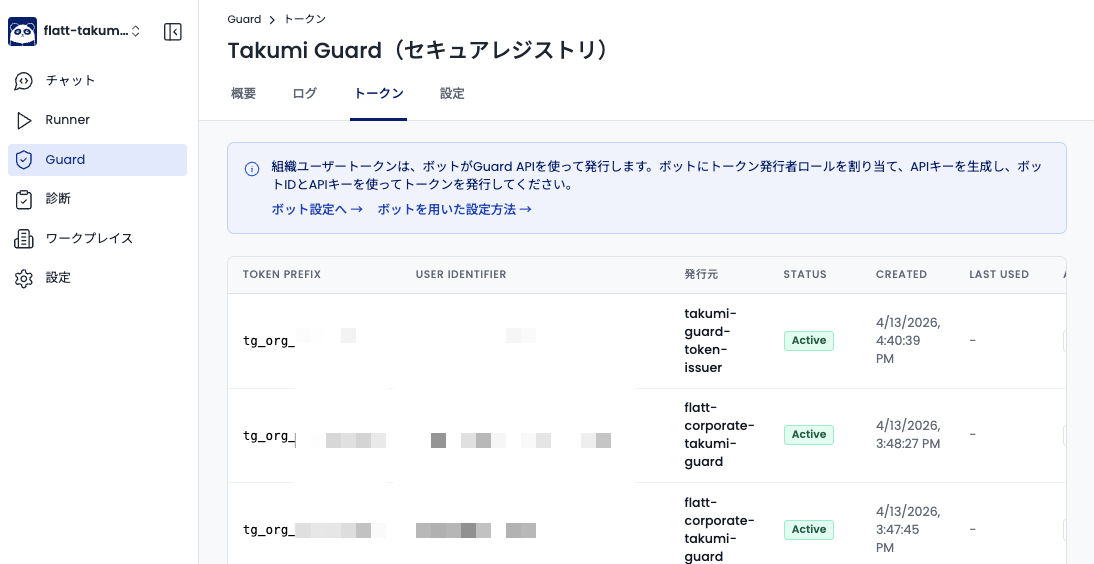
Tokens issued by the setup script can be viewed and managed in the Shisho Cloud console under Guard > Tokens.
Getting Started
The following diagram shows the overall architecture of admin deployment.
Steps:
- Create a Bot in the Shisho Cloud console (Settings > Bots) and assign the "Takumi Guard Token Issuer" role
- Generate an API key for the Bot
- Download the setup script from Guard > Settings > Admin Deployment
- Wrap the script with your management tool (Jamf, Intune, Ansible, etc.) and deploy
For detailed instructions, see the Admin Deployment guide.
This feature requires an active Takumi subscription with Guard enabled. See Pricing & Billing for details.
Key Features
Multi-ecosystem support
Configures npm, pip, uv, and Poetry in a single script execution. No need to prepare separate instructions for each package manager your developers use.
Idempotent execution
Safe to run multiple times. On the first run, the script issues a token and updates configuration files. On subsequent runs, it detects existing tokens and reuses them, skipping already-configured tools. This makes it safe to push via your management tool on a recurring schedule.
Incremental scope
Start with npm only, then add PyPI later — incremental adoption is fully supported. Existing configurations are preserved when adding new ecosystems.
# First run: npm only
TG_BOT_API_KEY="..." ./setup.sh BOT_ID USER_ID npm

# Later: add PyPI (npm config is preserved)
TG_BOT_API_KEY="..." ./setup.sh BOT_ID USER_ID pypi
Backup creation
Before modifying any configuration file, the script automatically creates a timestamped persistent backup (e.g., ~/.npmrc-backup-20260408-162351). To revert Guard configuration, simply copy the backup file back.
Important Notes
Existing users who are already using Guard with email-verified tokens (tg_anon_…) cannot be consolidated into org user tokens (tg_org_…). Email-verified tokens and org user tokens are independent authentication methods. Existing email-verified tokens continue to work as before, but they are separate from the org user tokens issued by admin deployment.
Getting Started with Your Organization
To use Guard's organization features (admin deployment, installation log search, etc.), you need a Takumi subscription with Guard enabled.
- Go to https://cloud.shisho.dev/hello/takumi and sign in
- Register your organization and subscribe to Takumi
- Navigate to Guard > Settings from the sidebar
- Click "Enable" to activate Guard
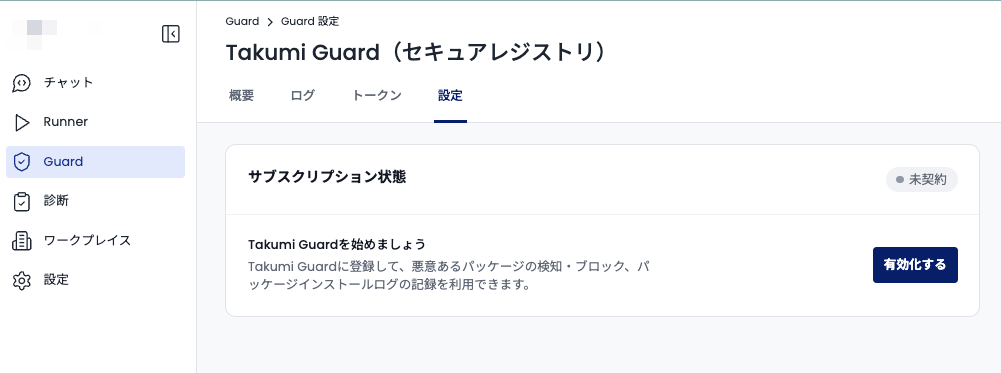
Once Guard is enabled, follow the Admin Deployment guide to begin setup.