Takumi Blackbox assessments now unified under Risk Focus mode

A credit threshold is now required when running Takumi blackbox assessments. The "Risk Focus Assessment" mechanism, previously offered as a separate menu option, is now the standard behavior for all blackbox assessments.
With this change, you can control credit consumption upfront for every blackbox assessment, preventing unexpected credit usage.
What changed
Previously, you had to choose between a "standard assessment" and a "Risk Focus Assessment" when starting a blackbox assessment. With this update, specifying a credit threshold is now required for all blackbox assessments, and Risk Focus Assessment has been integrated as the standard assessment method.
Credit threshold
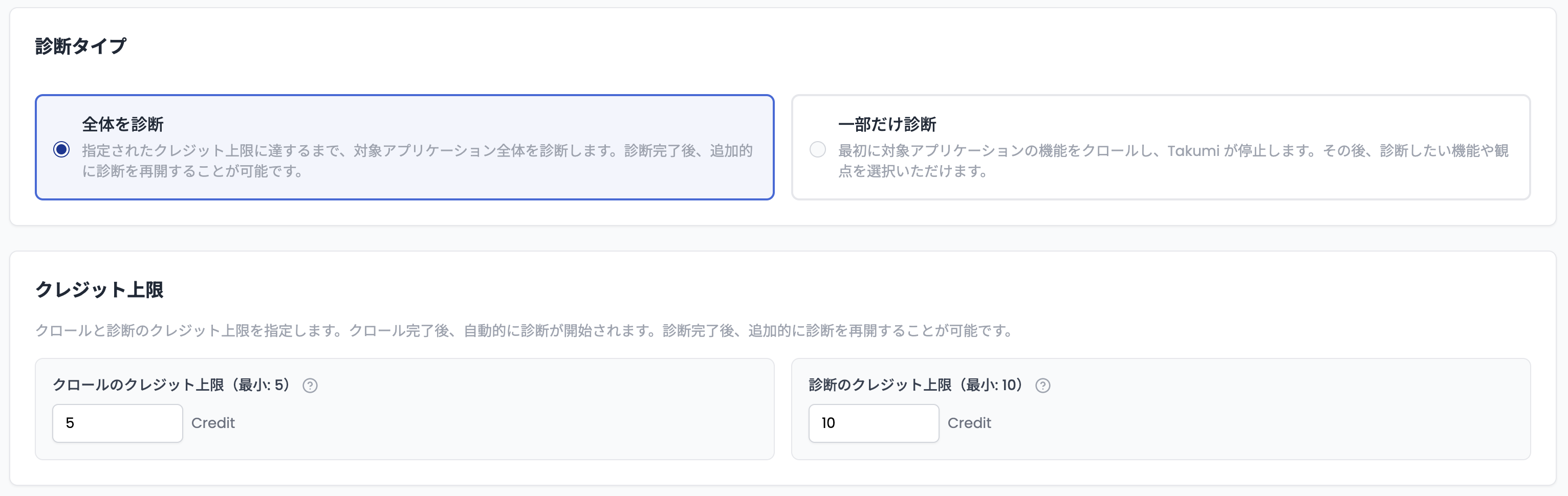
You set a credit threshold for each assessment job at the time of creation. Takumi runs the job within the specified credit limit and stops when the threshold is reached. You will not be charged for any credits consumed beyond the threshold.
- In "Full Assessment" mode, you specify thresholds for both crawling and scanning at the start
- In "Scoped Assessment" mode, you specify the crawling threshold first, then set the scanning threshold when starting the scan
Risk Focus Assessment features
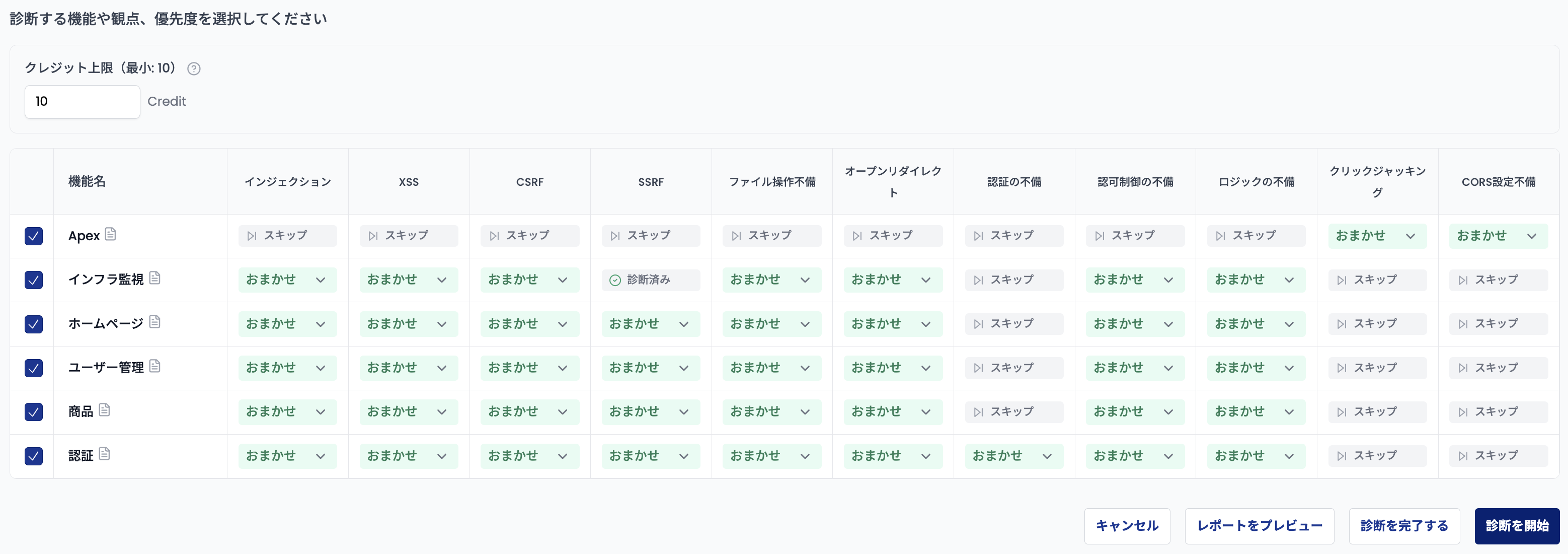
Risk Focus Assessment is an approach that efficiently prioritizes high-risk areas using credit thresholds and priority settings. Its key features are as follows.
- Priority-based incremental assessment: Set priorities for each combination of features and perspectives to assess high-risk areas first
- Automatic priority assignment: Takumi automatically determines assessment priorities based on risk analysis. You can also set priorities manually
- Review interim results and run additional scans: After the assessment pauses upon reaching the credit threshold, you can review interim reports and choose to run additional scans or complete the assessment
Impact on existing assessments
There is no impact on in-progress or completed assessments. This change applies only to newly created assessments going forward.
User guide
See Blackbox Assessment for details.