Free Tier for the cicd-sensor Integration Released

Takumi Runner's cicd-sensor integration now has a free tier.
No credit card required — just create a Takumi organization and Takumi Runner accepts trace logs for up to 3,000 minutes of CI/CD job run time per month. Every feature that makes use of the trace logs is available too, including Trace Search and Threat Detection, so you can check and detect the impact of supply-chain incidents free of charge.

When Runner is enabled, the cicd-sensor integration and Takumi Hosted Runner can each be used for 3,000 minutes before usage-based charges apply.
Overview
Until now, using the cicd-sensor integration required a Takumi subscription and Runner enabled. Starting today, with the free tier, all it takes is creating a Takumi organization.
The pricing of Takumi Hosted Runner is unchanged.
What You Can Use
All the trace log investigation features are available.
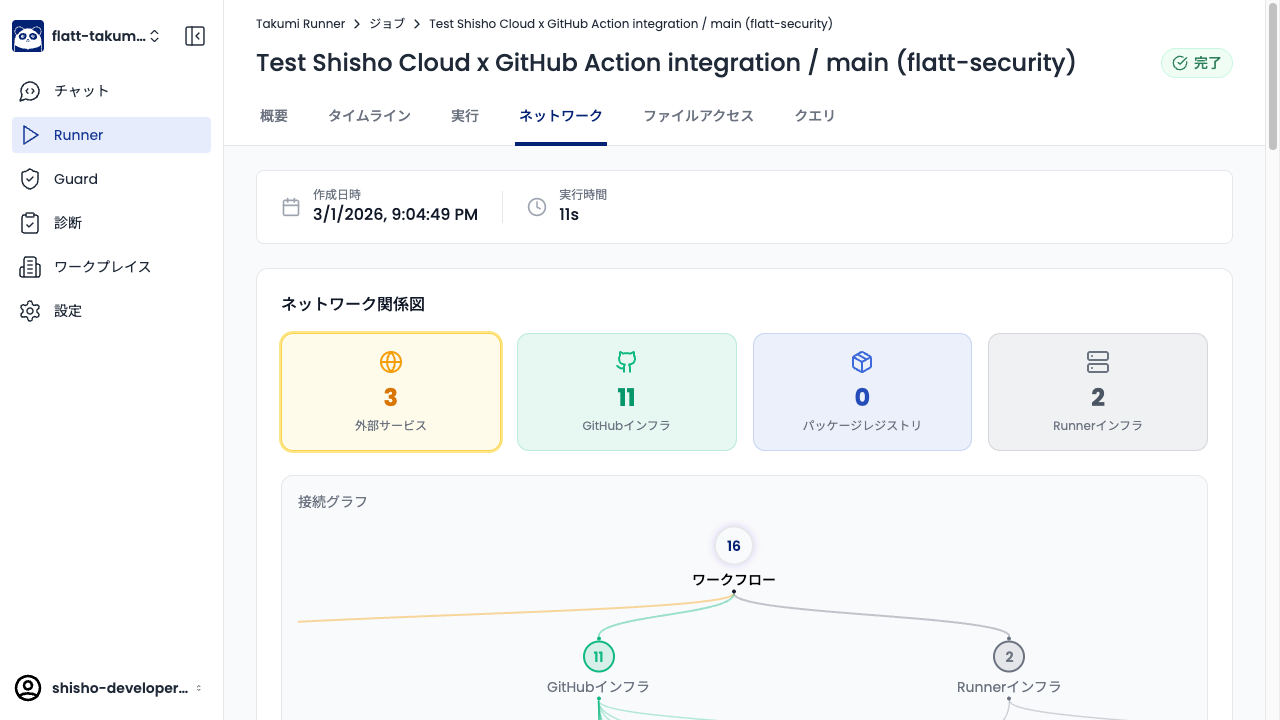
Trace log visualization
You can review the visualized trace data in the Takumi Runner console.
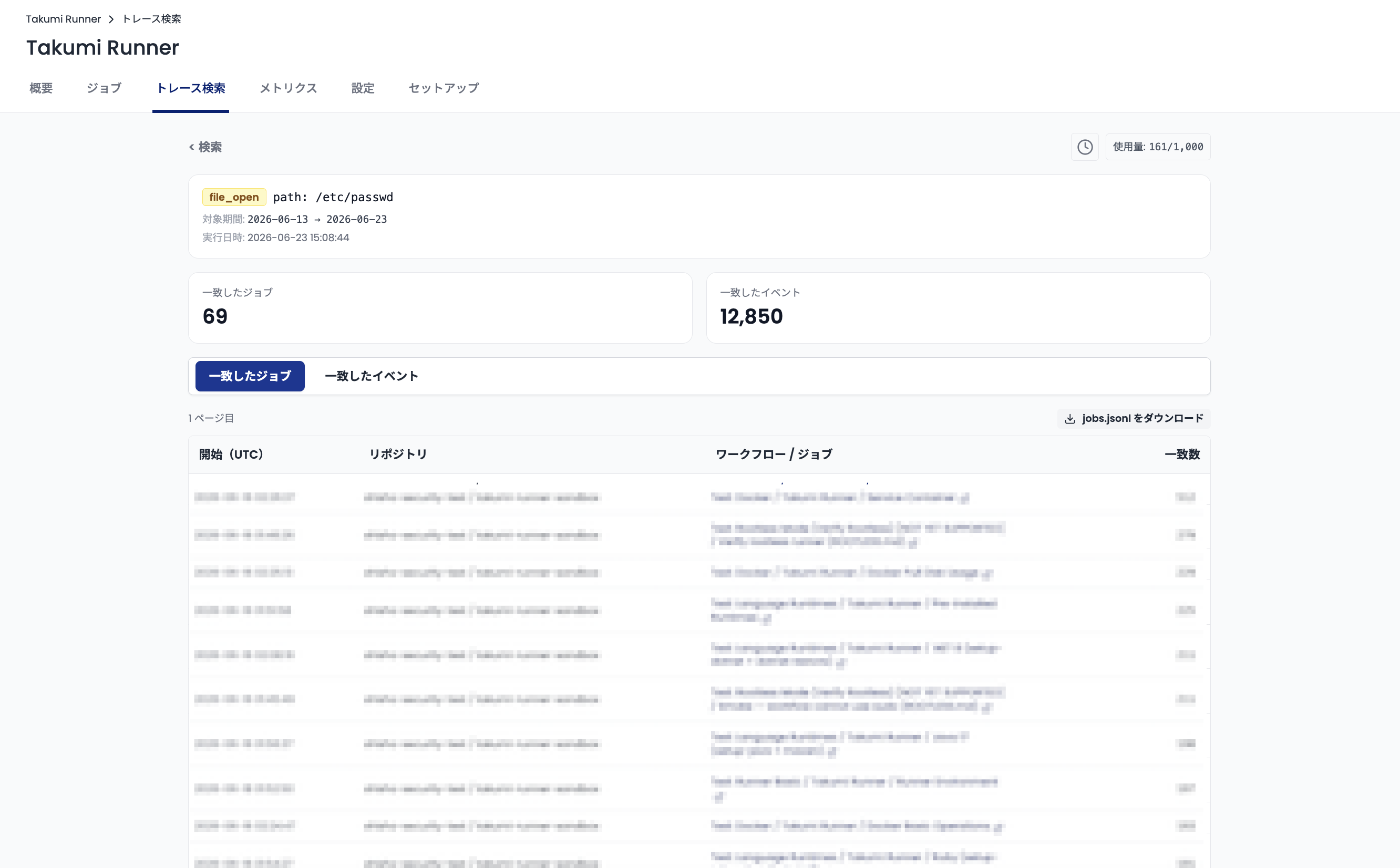
Trace log search
From the Takumi Runner console, you can search the contents of the collected trace logs. You can check whether the CI/CD jobs that ran during a supply-chain incident were affected.
Threat detection
Threat detection proactively investigates the impact of a supply-chain incident based on the trace logs and notifies you if you are affected. Since it removes the need to investigate yourself, it addresses gaps in expertise and the risk of missing an incident.

When You Exceed the Free Tier
The free tier accepts trace logs for up to 3,000 minutes of total job run time per organization per month. Once the 3,000-minute limit is reached, trace logs are no longer accepted after that point, but your CI/CD jobs still run as usual.
To manage trace logs in Takumi Runner beyond 3,000 minutes, you need a Takumi subscription and Runner enabled.
For the pricing details of the cicd-sensor integration and Takumi Hosted Runner, see Pricing & Billing.
Getting Started
The steps to start using the free tier are as follows.
Creating an Organization
Go to https://cloud.shisho.dev/hello/takumi.
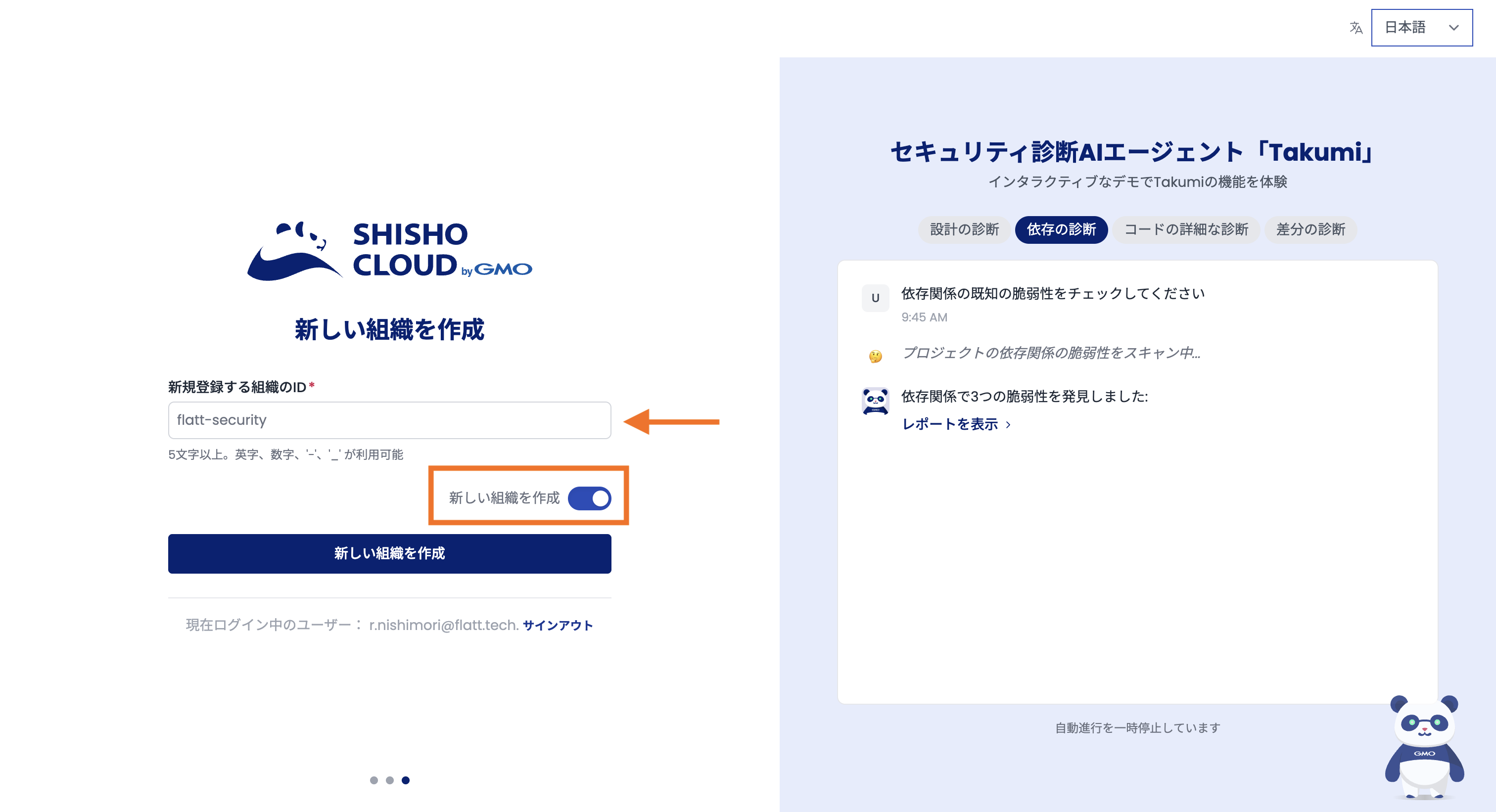
- Turn on Create a new organization and enter the ID of the organization to register
- Press Create a new organization
Once the organization is created, next set up the cicd-sensor integration.
Setting Up the cicd-sensor Integration
Here we walk through the setup for CI/CD jobs on GitHub-hosted runners. If you use another environment, see the user guide.
Credentials
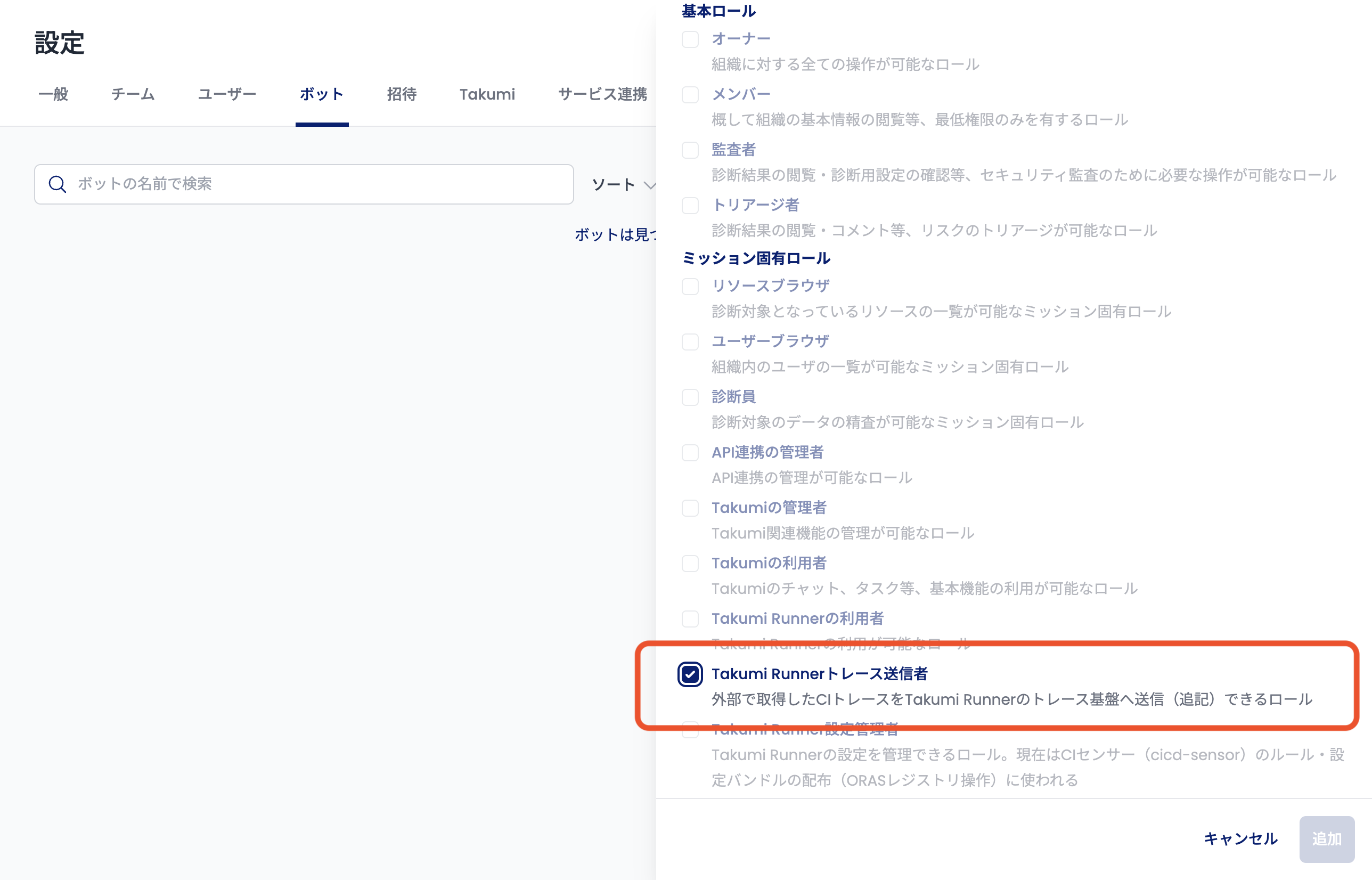
First, create a bot that handles the credentials. In the Takumi console, open Settings > Bots > Add bot and select Takumi Runner Trace Sender to open the bot creation screen.
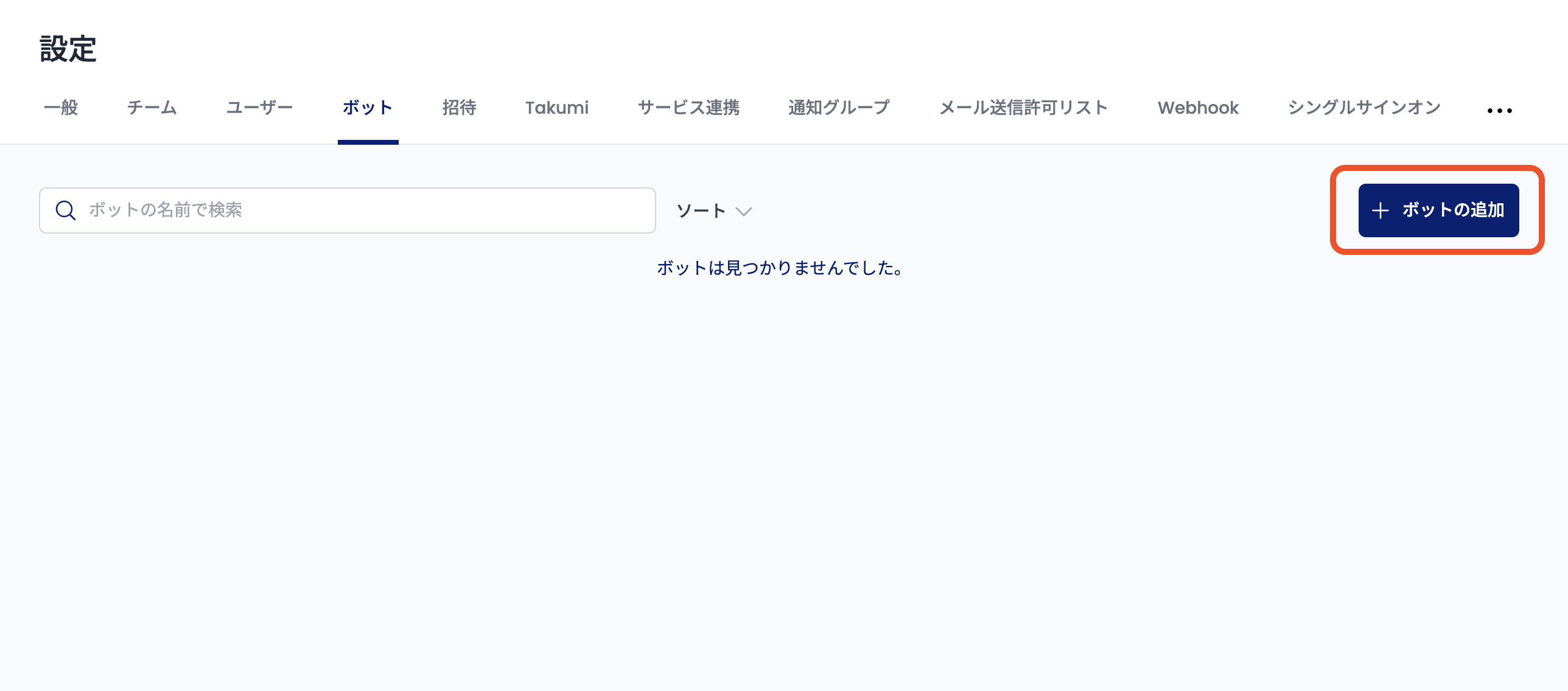
On the bot creation screen, set up a trust condition. Enter the name, organization, and repository.
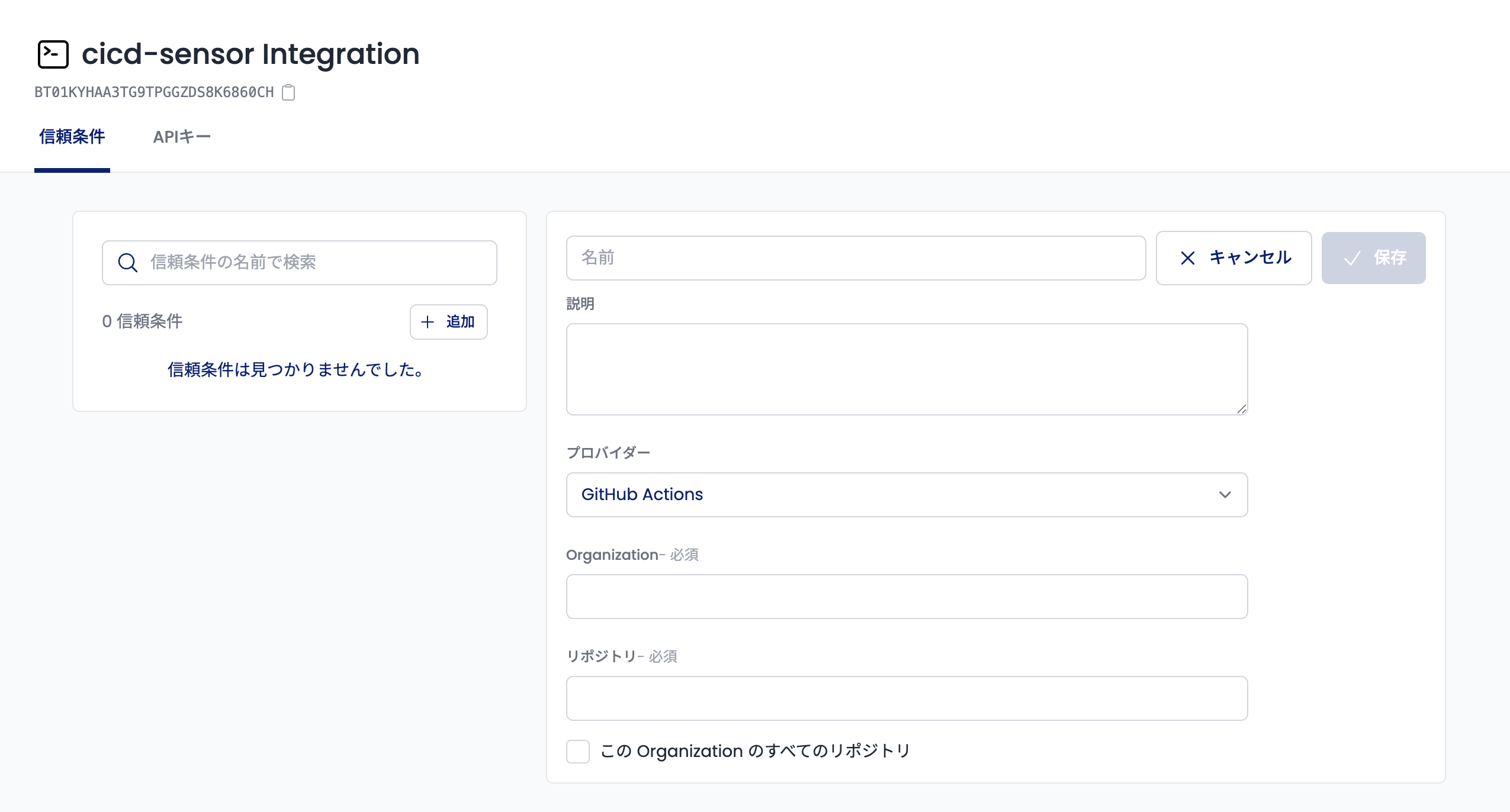
Press save to finish creating the bot. Next, create a GitHub workflow.
Creating a GitHub job
Here we create a job that runs echo Hello.
jobs:
  build:
    runs-on: ubuntu-latest
    environment: cicd-sensor
    permissions:
      contents: read
      id-token: write
    steps:
      - id: auth
        uses: flatt-security/shisho-cloud-action@v1
        with:
          bot-id: <Bot ID>
          export-token: true
          expires-in-minutes: 360
      - uses: cicd-sensor/cicd-sensor-action@6511eb44c91d71b2b93d71193b1bf2cb18352f66 # v0.0.38
        with:
          manager-url: https://manager.cicdsensor.cloud.shisho.dev
          manager-token: ${{ steps.auth.outputs.token }}
      - run: echo Hello
The uses: flatt-security/shisho-cloud-action@v1 step obtains the credentials. The uses: cicd-sensor/cicd-sensor-action step runs cicd-sensor.
The connection to Takumi Runner is configured with manager-url: https://manager.cicdsensor.cloud.shisho.dev.
Checking the Trace Logs
Run the job above and the run becomes visible in the Takumi Runner console. Open Runner on the left side of the screen, and completed jobs appear under Recent Jobs.
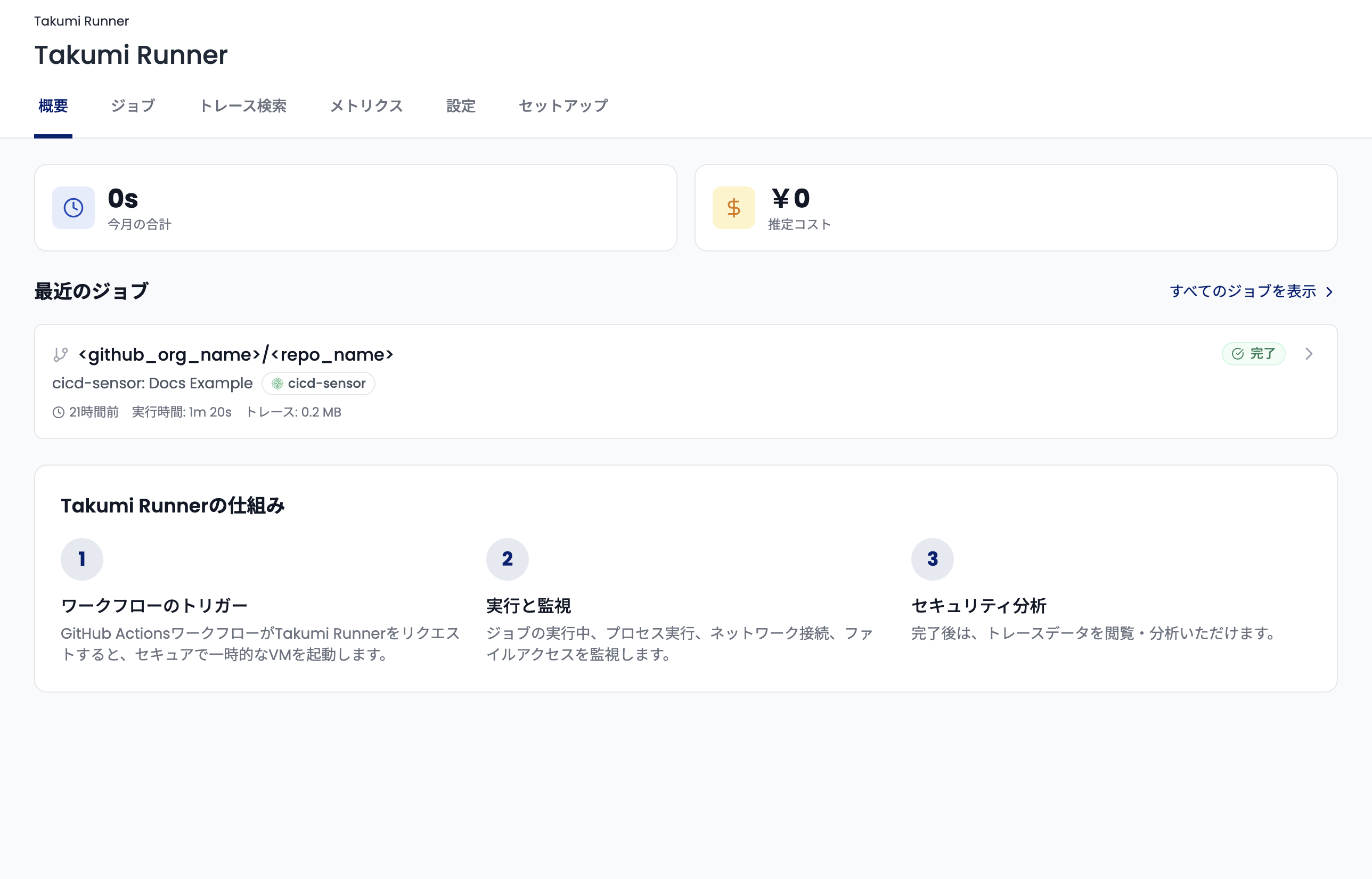
Click a job to see its trace logs. From here, you can use the various features for working with trace logs introduced above.
For more details on the cicd-sensor integration, see the user guide.