Takumi Runner Released

Takumi Runner is a secure runner service for GitHub Actions workflows.
Change one line in your workflow file — runs-on: takumi-runner — and eBPF tracing of processes, network connections, and file operations is enabled automatically.

Background
In an era where AI handles everything from code generation to testing and deployment, CI/CD pipelines are becoming central to software development. The larger their role as the final gate for code quality and releases, the more valuable they become as a target for attackers.
Yet what actually happens inside CI/CD pipelines remains a black box for most organizations. Even if a malicious dependency or a compromised GitHub Action executes during a build, a standard runner makes it difficult to trace what happened.
Takumi Runner records every system call during workflow execution, providing visibility into CI/CD pipelines.
One-Line Change
Change runs-on in your existing workflow file to takumi-runner to get started.
jobs:
  build:
    # Before: runs-on: ubuntu-latest
    runs-on: takumi-runner
    steps:
      - uses: actions/checkout@v4
      - run: npm install
      - run: npm test
Workflow syntax and step execution work exactly the same as with GitHub-hosted runners. Takumi Runner provides an ubuntu-latest-compatible environment, so existing workflows work as-is.
Data You Can Access
Once the workflow completes, trace data is available in the Shisho Cloud console's job detail view.
Overview
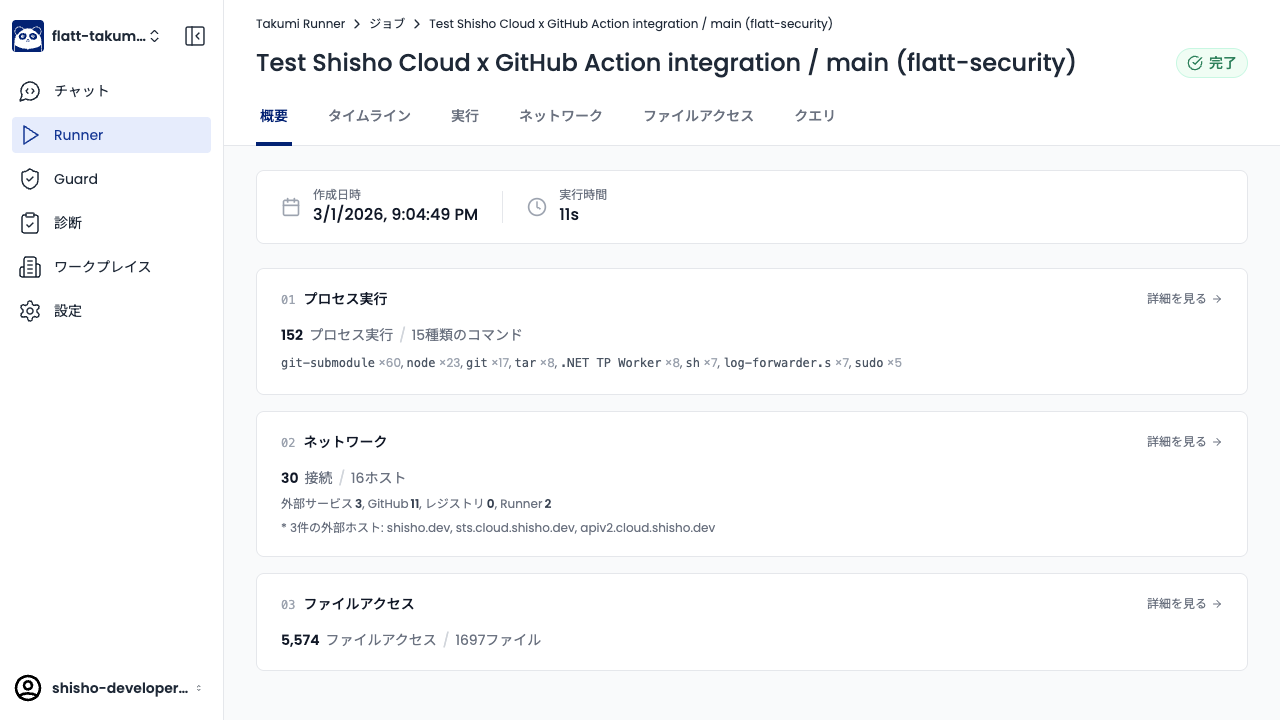
The overview tab shows a summary of process executions, network connections, and file accesses — how many commands were executed, how many external hosts were contacted, and more — giving you a quick view of the overall picture.
Process Log
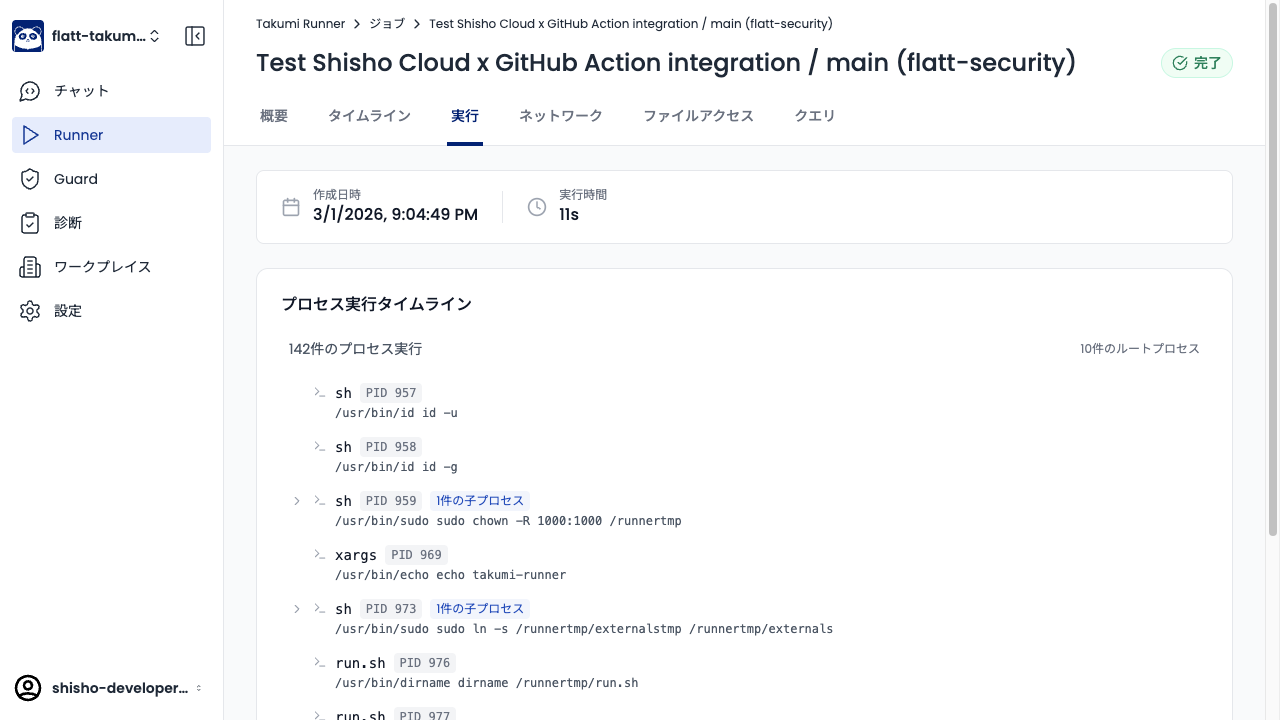
The process tab displays all processes executed during the workflow in a tree view. Each process's command, arguments, and parent-child relationships are recorded, allowing you to precisely track which binary was launched at which step.
Network Visualization
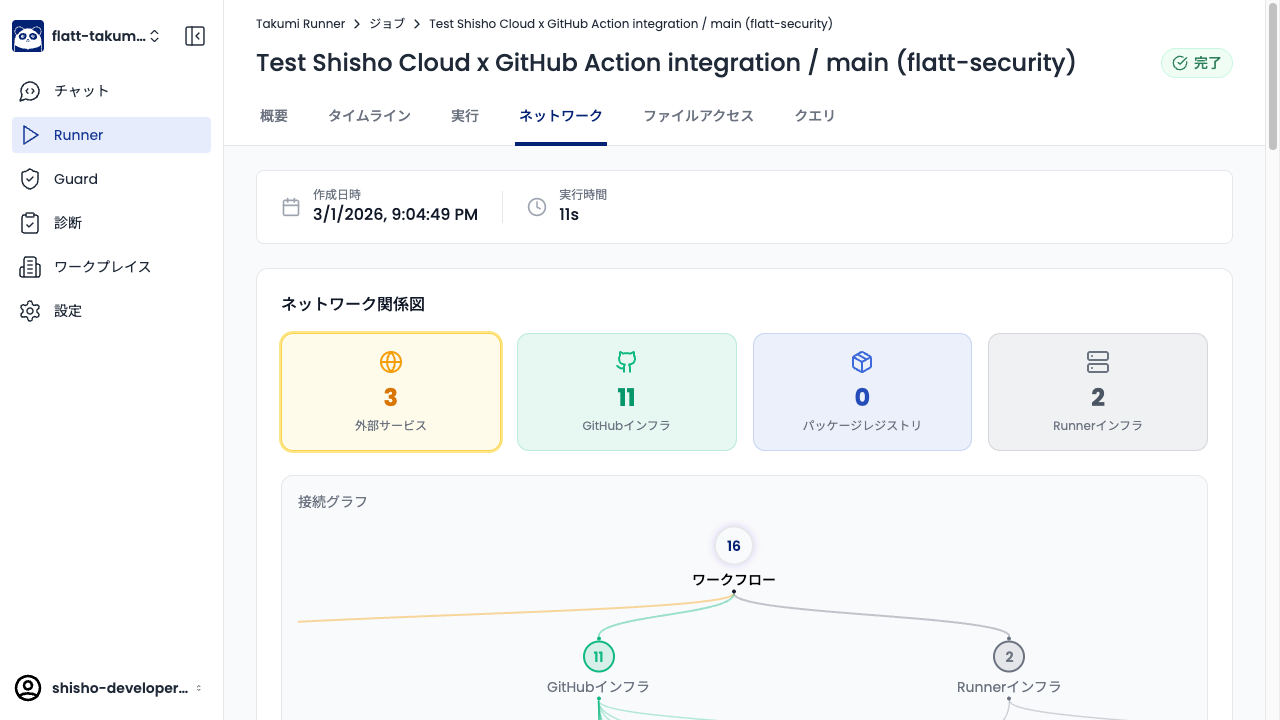
The network tab displays all network connections that occurred during the workflow as a relationship diagram. Connections to external services, GitHub infrastructure, package registries, and runner infrastructure are organized by category, making it easy to visually identify unexpected destinations.
SQL Queries
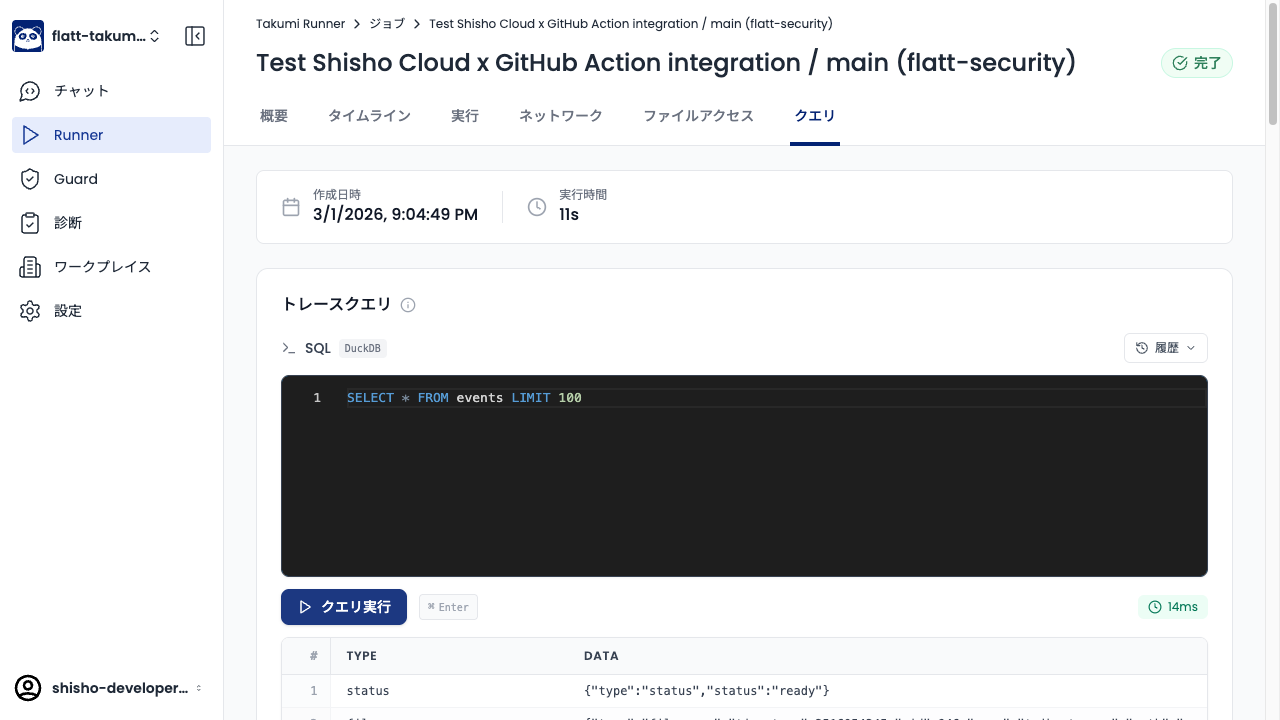
The query tab lets you run SQL (DuckDB) directly against the trace data. For example, you can extract only the processes that connected to external hosts during npm install, or search for writes to a specific file path. Raw JSONL data downloads are also available.
Getting Started
Enable the Runner feature from the Shisho Cloud console and install the GitHub App. Setup takes just a few minutes following the wizard.
▼ User Guide: Takumi Runner