Takumi Risk Focus Assessment: Full Assessment Mode and Automatic Prioritization

Risk Focus Assessment now includes the following new capabilities:
- Full Assessment mode is now supported in addition to Scoped Assessment mode
- A new "Auto" option lets Takumi automatically determine the assessment priority for each feature-perspective combination
Full Assessment Mode Support
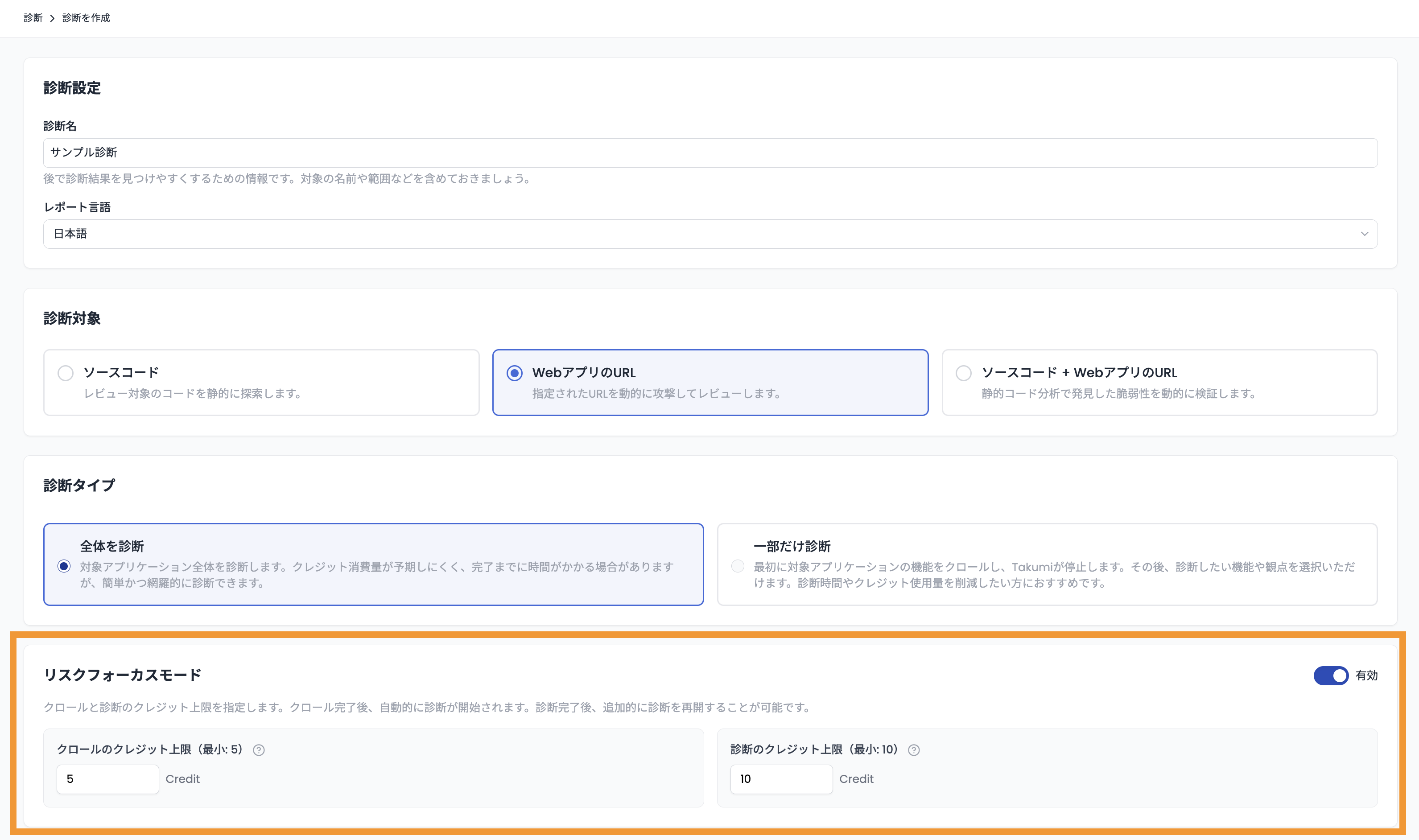
Risk Focus Assessment was previously only available in "Scoped Assessment" mode. It now also works with "Full Assessment" mode.
Enable Risk Focus Mode when creating a new assessment and configure the credit thresholds for crawling and scanning. Crawling and the initial scan will then run automatically within the specified credit limits. Once complete, you can review interim results and run additional scans — the same flow as before.
Automatic Prioritization
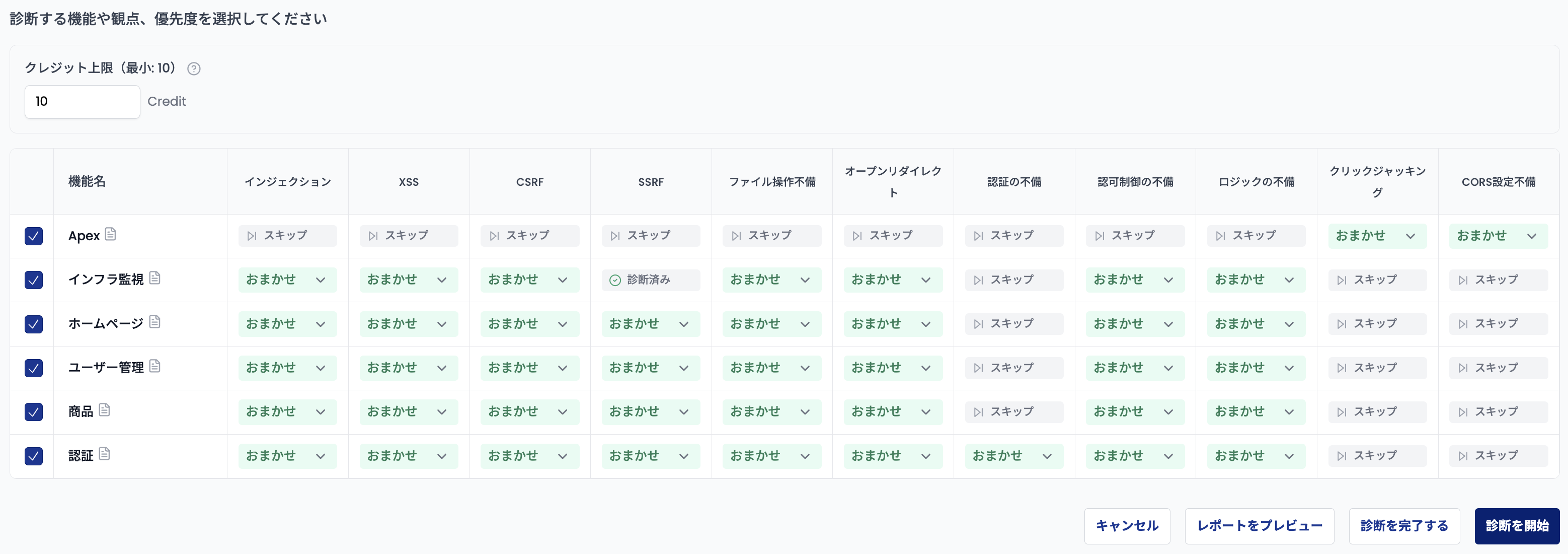
A new "Auto" priority option lets Takumi automatically determine the assessment priority for each feature-perspective combination.
Instead of setting priorities manually, selecting "Auto" lets Takumi decide the priority for each combination. In Full Assessment mode, "Auto" is applied automatically to all combinations for the initial scan.
This allows you to delegate priority decisions to Takumi, making it easier to start scanning from the highest-risk areas without manual configuration.