Takumi Risk Focus Assessment Now Available for Whitebox

Takumi's whitebox assessment now supports Risk Focus mode — after feature enumeration, you can configure a credit limit and assessment priority for each feature and perspective to run a Risk Focus assessment.
Configuring Credit Limits and Assessment Priorities
From this release onward, starting a new whitebox assessment will first perform feature enumeration only.
Once this process completes, the assessment transitions to Crawled status. Opening that assessment displays the Risk Focus assessment configuration screen.
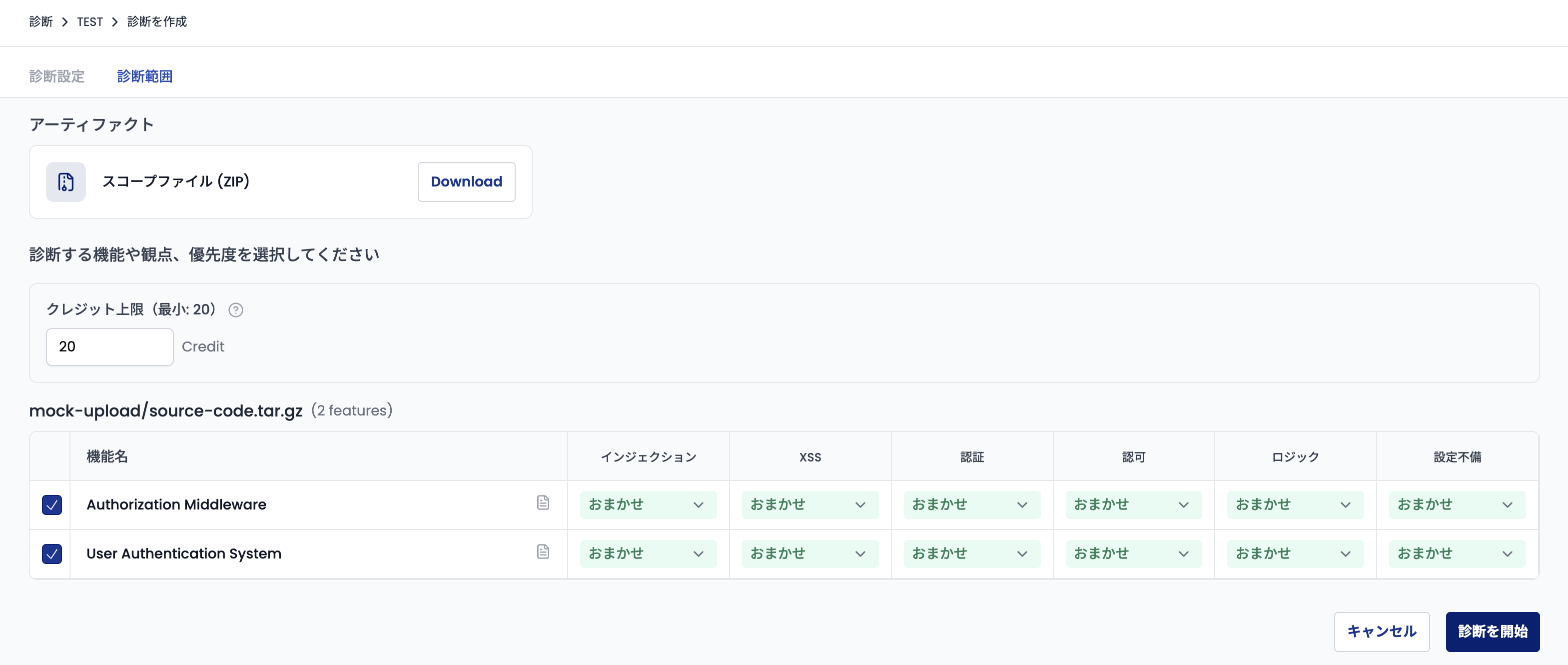
From this screen, you can set the credit limit for the assessment and the assessment priority for each feature and perspective combination.
Additional Scans
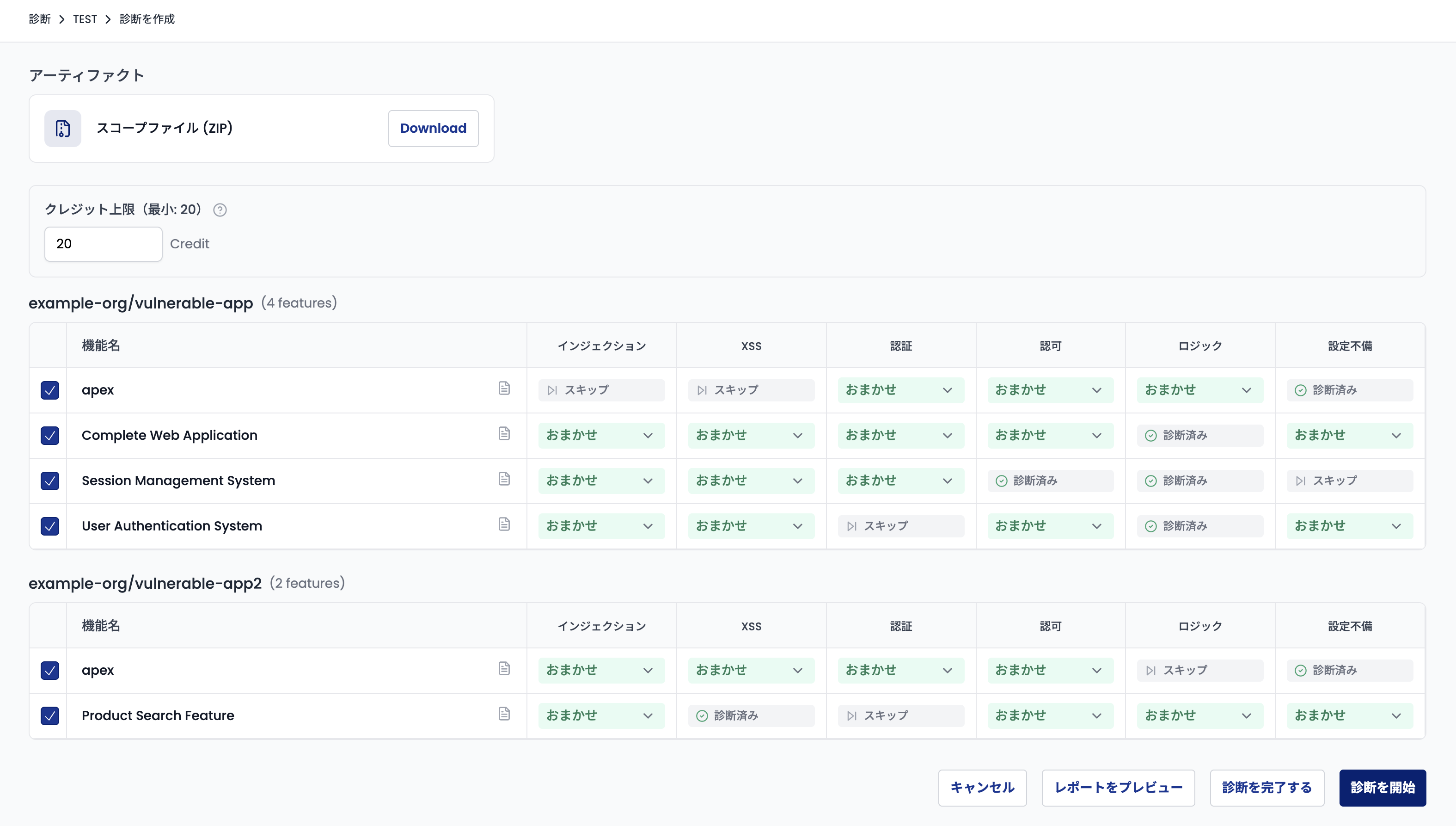
After the initial scan completes, the assessment enters Pending status. Opening that assessment lets you review the report of findings discovered so far, and run additional scans by adjusting the credit limit and priority settings.
User Guide
See Whitebox Assessment for more details.