Takumi Guard: Open-Source Token Portal for Developer Self-Service

We've published flatt-security/takumi-guard-portal-example, an open-source example portal that lets your developers self-mint Takumi Guard organization user tokens (tg_org_) behind your own identity provider, without ever distributing a shared bot credential to developer machines.
Overview
The portal sits between your developers and Guard's organization user token API. A bot credential lives only on the portal; each developer signs in through your chosen identity provider, mints a tg_org_ token scoped to their own user_identifier, copies the one-time plaintext, and pastes it into the tool that needs it — .npmrc, a CI runner secret, a build-server credential store, or similar. From that point on the tool talks to Guard directly with the org user token; it never sees, and never needs, the bot credential.
The following diagram shows the overall flow.
This fills the gap between the admin setup scripts, which fit best when MDM can push a shared bot credential to managed machines, and the Takumi API, which fits best for fully automated CI/CD or leaver workflows. The portal is the right fit when developers need to provision a token themselves but pushing a shared bot credential through MDM is either undesirable or infeasible.
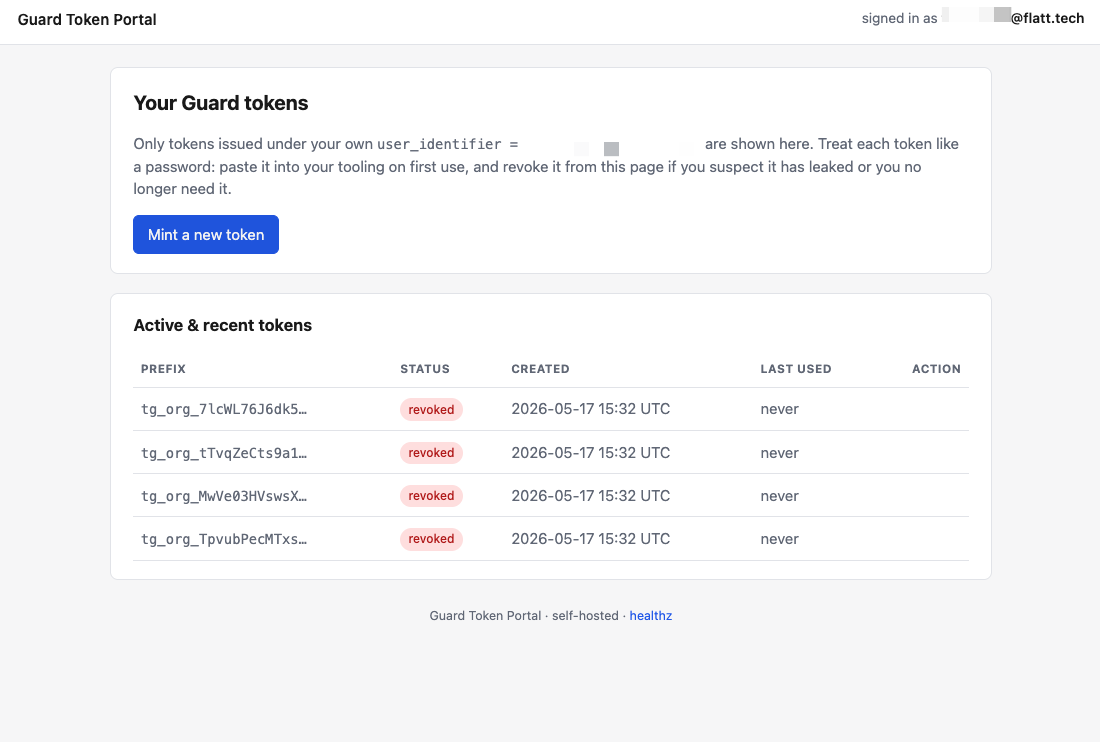
Capability detection runs per request. If the bot you configure holds the organization/takumi_guard_token_issuer role, the portal renders a mint-only page; if it holds the organization/takumi_manager role, each developer additionally sees a list of their own tokens with a per-row Revoke action. Switching between the two takes effect on the next page load with no portal redeploy.
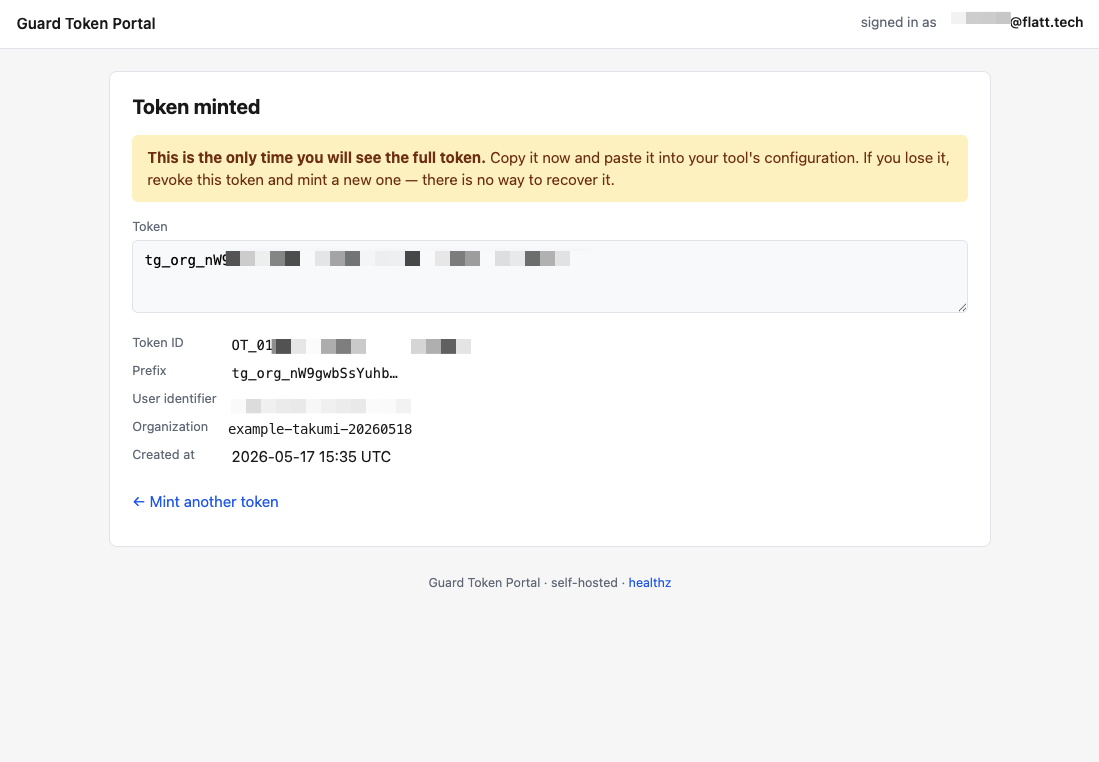
After minting, the plaintext token is shown once, alongside its metadata. The portal has no way to recover it after the page closes — the developer either pastes it into their tool config immediately or revokes and re-mints.
Even when list and revoke are enabled, the portal exposes only the caller's own tokens. There is no admin view, even for organization owners, and the list / revoke handlers double-filter the result on the caller's user_identifier (server-side prefix filter on the Guard API, plus a byte-for-byte exact-match check on the portal) — so a forged token_id cannot reach a token the caller does not own.
Getting Started
Organization user tokens require an active Takumi subscription with Guard enabled. See Pricing & Billing for details.
The repository ships with a worked deployment recipe for Google Cloud Run + Identity-Aware Proxy + Secret Manager, under examples/cloudrun/. If that matches your target environment, you can deploy the portal in three steps:
- In the Shisho Cloud console, create a bot and assign it either the
organization/takumi_guard_token_issuerrole (mint only) or theorganization/takumi_managerrole (mint + per-user list + per-user revoke). Note the bot ID (BT01…) and API key. - Clone the repository and follow the
examples/cloudrun/README to deploy. - Share the portal URL with your developers. Each signed-in developer mints their own token in a couple of clicks, copies the plaintext (shown once), and pastes it into the tool that needs it.
The shipped basic auth mode is intended only for local development and smoke-testing — never deploy it to production. Use the iap mode (Google Cloud Identity-Aware Proxy) or your own authenticator adapter when running the portal anywhere developers will actually use it.
For any other identity provider, or for hosting targets other than Cloud Run, add an authenticator adapter under internal/auth/ that implements the four-method Authenticator interface, and deploy the binary to your environment of choice. The shipped IAP and Basic adapters serve as worked examples.
Note: scope
The repository is shipped as an example implementation, not a managed product, and has only been subjected to a baseline level of review. Verify it against your organization's security standards before running it in production, and modify it where it does not fit. Source is MIT-licensed at github.com/flatt-security/takumi-guard-portal-example.