Takumi Blackbox Assessment Crawl Results Now Manually Editable

For blackbox assessments in "Scoped Assessment" mode, you can now manually edit the crawl results after crawling completes. This lets you supplement features and endpoints that were not detected, or remove unnecessary ones, for more precise assessments.
Overview
In "Scoped Assessment" mode, Takumi first crawls the target application to discover its features, then pauses so you can select which features and perspectives to assess.
Automatic crawling can sometimes miss endpoints that require complex navigation steps. With this new manual editing feature, you can adjust the crawl results before proceeding to the assessment. This allows you to include features and endpoints that the automatic crawler could not reach.
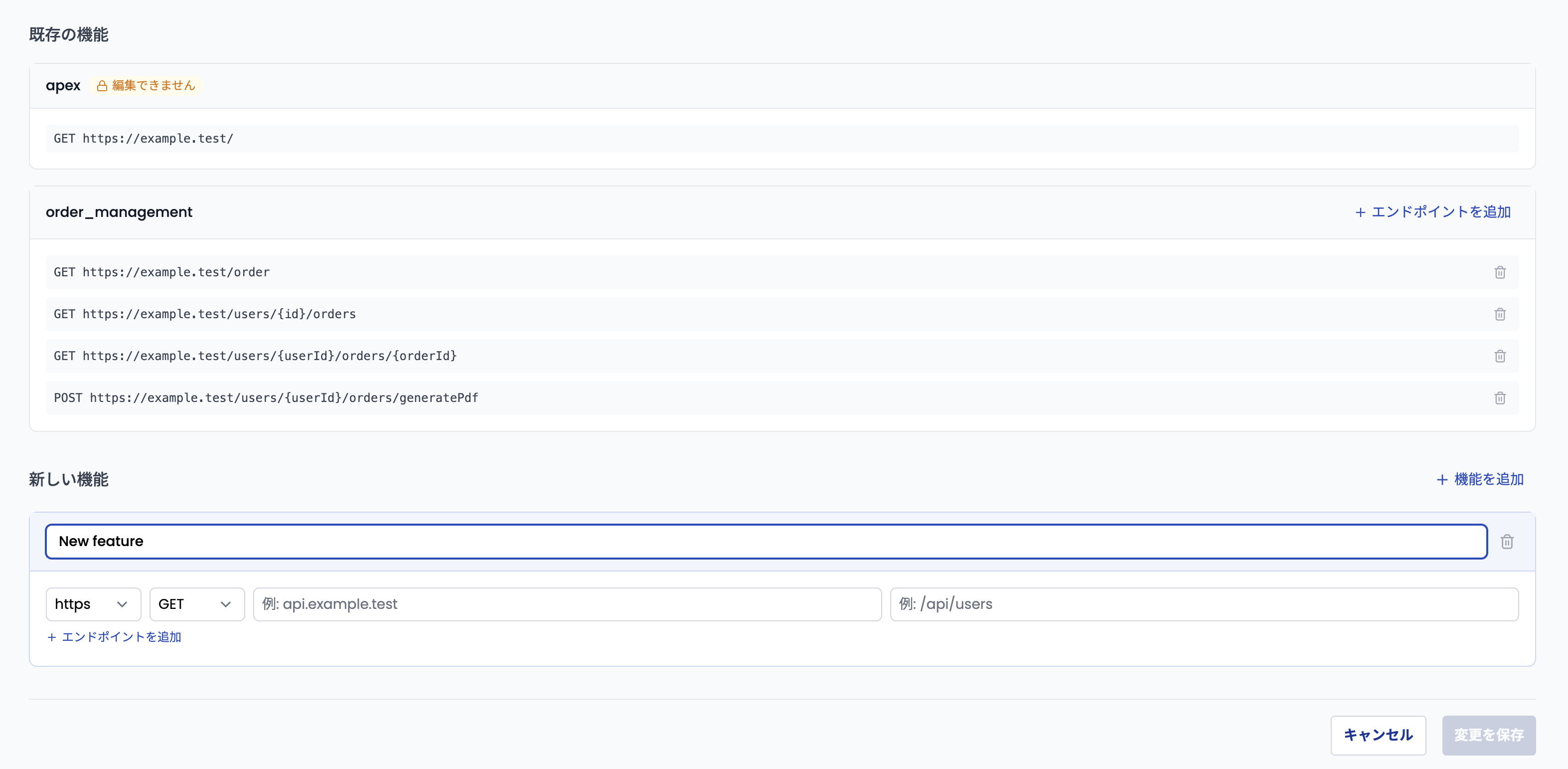
The following operations are available on the edit page:
- Add endpoints to existing features: Add missing endpoints to already-discovered features
- Remove endpoints from existing features: Exclude endpoints detected during crawling that are not needed for the assessment
- Add new features: Add features that were not detected during crawling, along with their endpoints
Note that hostnames can only be chosen from those already discovered during crawling. Apex features (representing the main entry point of the application) cannot be edited.
Getting Started
This feature is available for blackbox assessments in the "Crawled" state. Click the "Edit Crawl Results" button at the bottom-left of the priority matrix on the assessment page to access the edit page.
For details, see the blackbox assessment documentation.