Takumi Whitebox Assessment Now Available from Web Console

Takumi Whitebox Assessment is now available directly from the Web Console.
Previously only available via Slack chat or Web chat, you can now run whitebox assessments from the Web Console, just like blackbox assessments. Provide your source code via GitHub repository integration or file upload, and Takumi will analyze the code to detect vulnerabilities.
Overview
Click the "New Assessment" button from the "Assessment" tab in the global sidebar, then select "Source Code" to get started.
You can choose from two assessment modes:
| Mode | Description |
|---|---|
| Full Assessment | Scans the entire codebase |
| Scoped Assessment | Enumerates features first, then lets you select which ones to assess |
Source code can be provided via GitHub repository integration or by uploading an archive file (.zip / .tar.gz).
Demo: Starting an Assessment
Click the "New Assessment" button in the upper right corner of the "Assessment" tab to start an assessment.
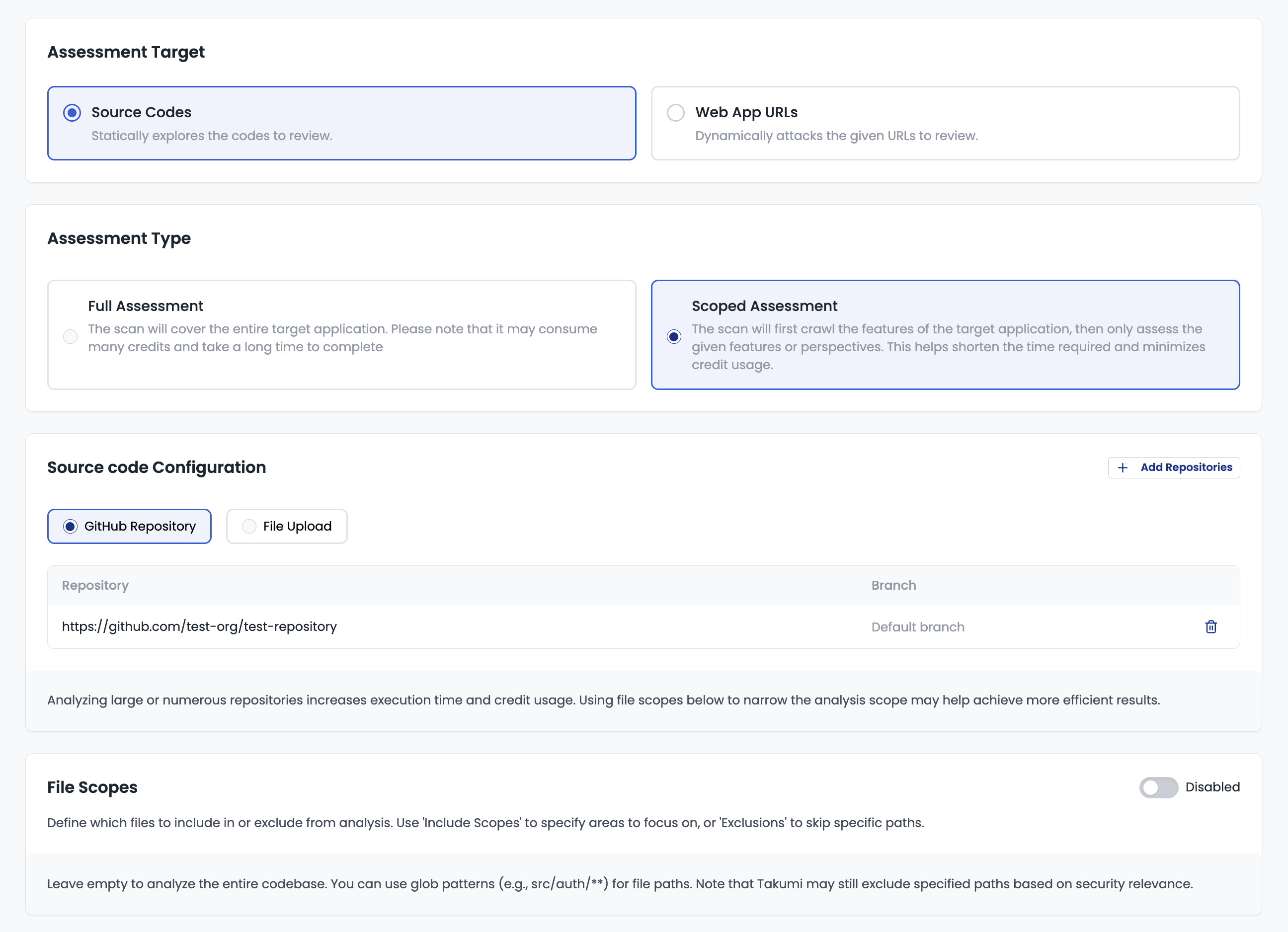
You can choose from two methods to provide source code:
- GitHub Repository: Select a repository and specify the target branch
- File Upload: Upload an archive in
.zipor.tar.gzformat
You can explicitly specify file paths to include and exclude. This allows you to focus on specific areas of interest or exclude test code and auto-generated files.
Demo: Selecting Features
In "Scoped Assessment" mode, Takumi analyzes the codebase and automatically enumerates features.
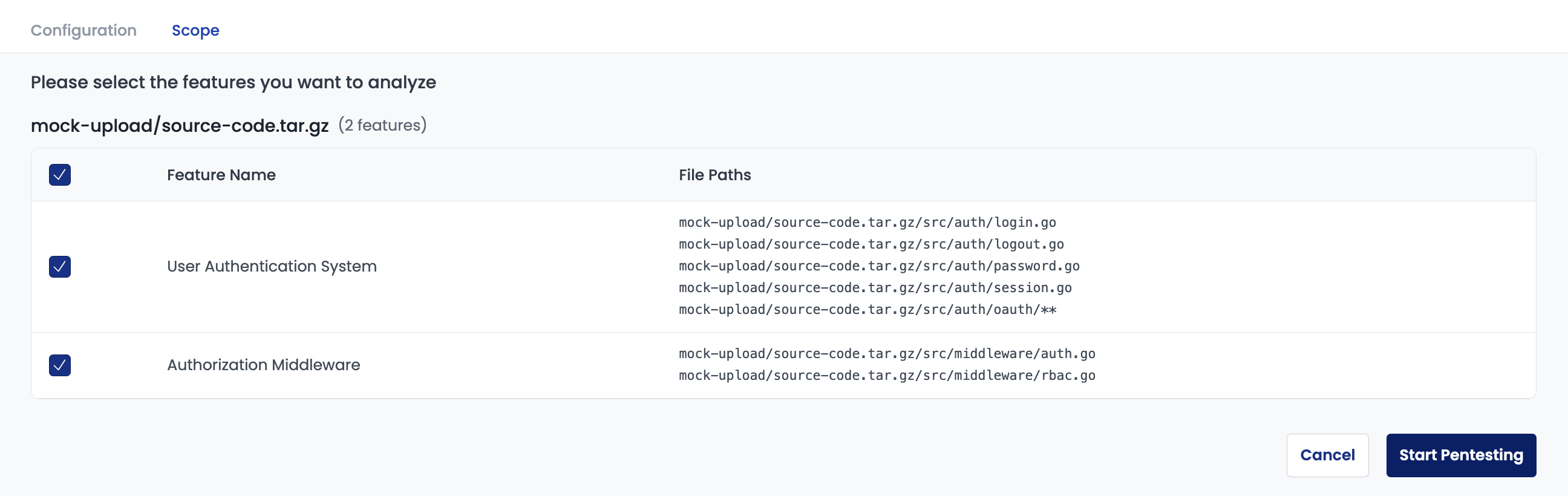
You can select the features you want to assess from the enumerated list and start the assessment. This helps reduce assessment time and use credits more efficiently.
Demo: Assessment Report
The assessment report can be viewed on the web, as shown below.
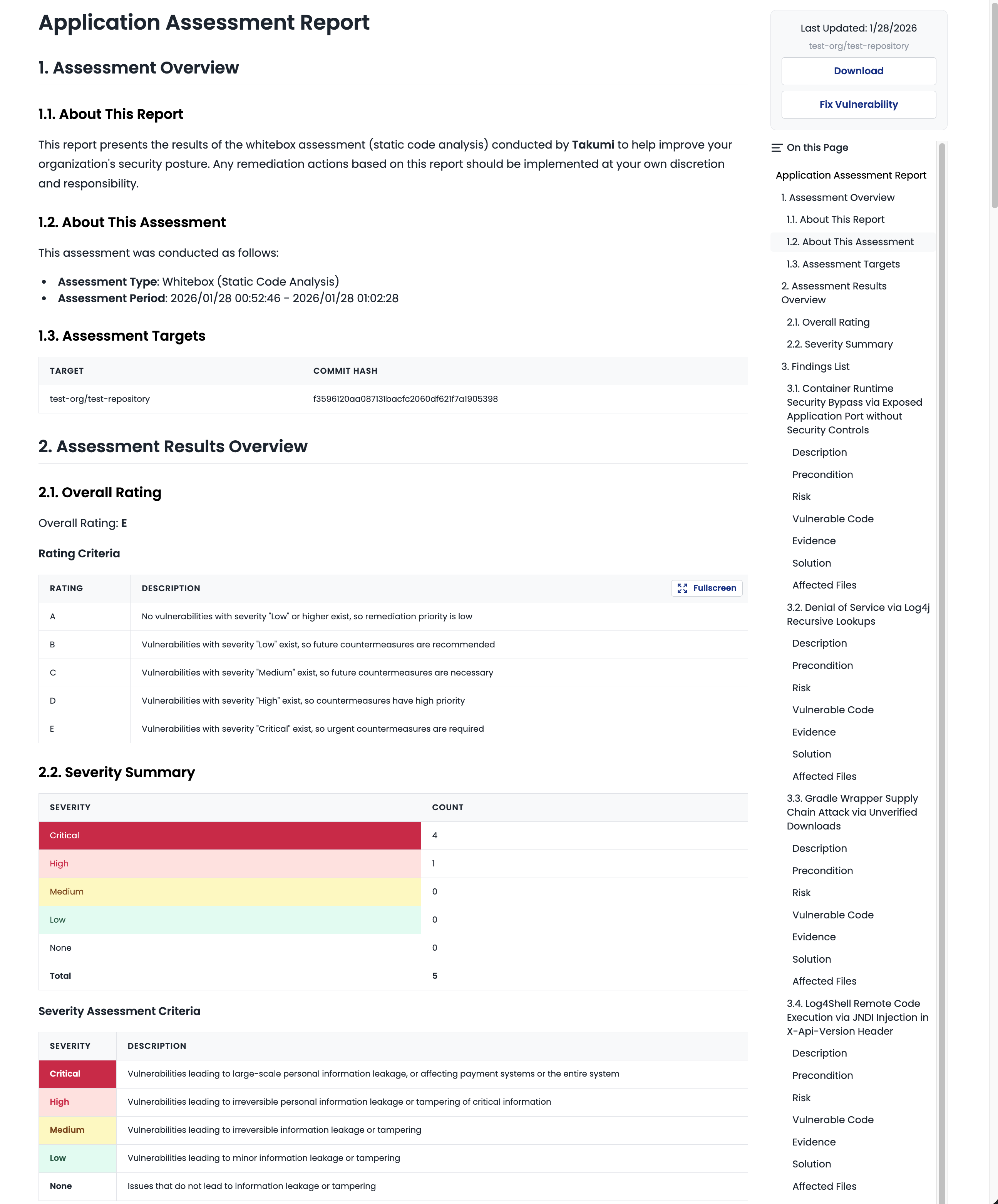
Each finding explains which feature had vulnerabilities and their severity and risk levels. Since this is a whitebox assessment, file paths where vulnerabilities were detected are also included.
Getting Started
This feature is available to all "Takumi byGMO" users and can be freely used within your monthly credit allowance. No additional fees or plan changes required.
▼ User Guide: Whitebox Assessment (On-demand)