Job History
The English user guide is currently in beta preview. Most of the documents have been automatically translated from the Japanese version. Should you find any inaccuracies, please reach out to Flatt Security.
The job history view shows a list and details of all workflow jobs executed on Takumi Runner.
Job List
Open Runner > Jobs in the Shisho Cloud console to see recent job executions listed.
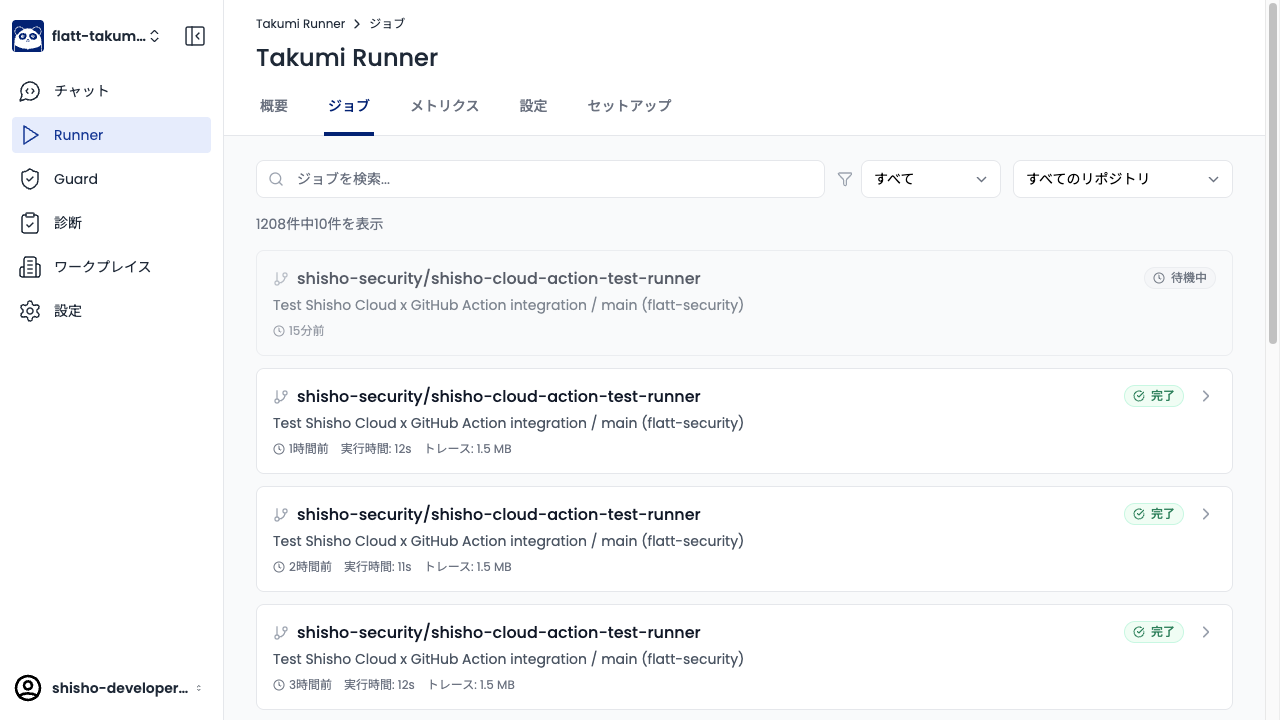
Each job displays the repository name, workflow name, status (completed, waiting, etc.), execution time, and trace size. Use the search box and filters to narrow down to specific jobs.
Job Details
Click a specific job in the list to open the detail view.
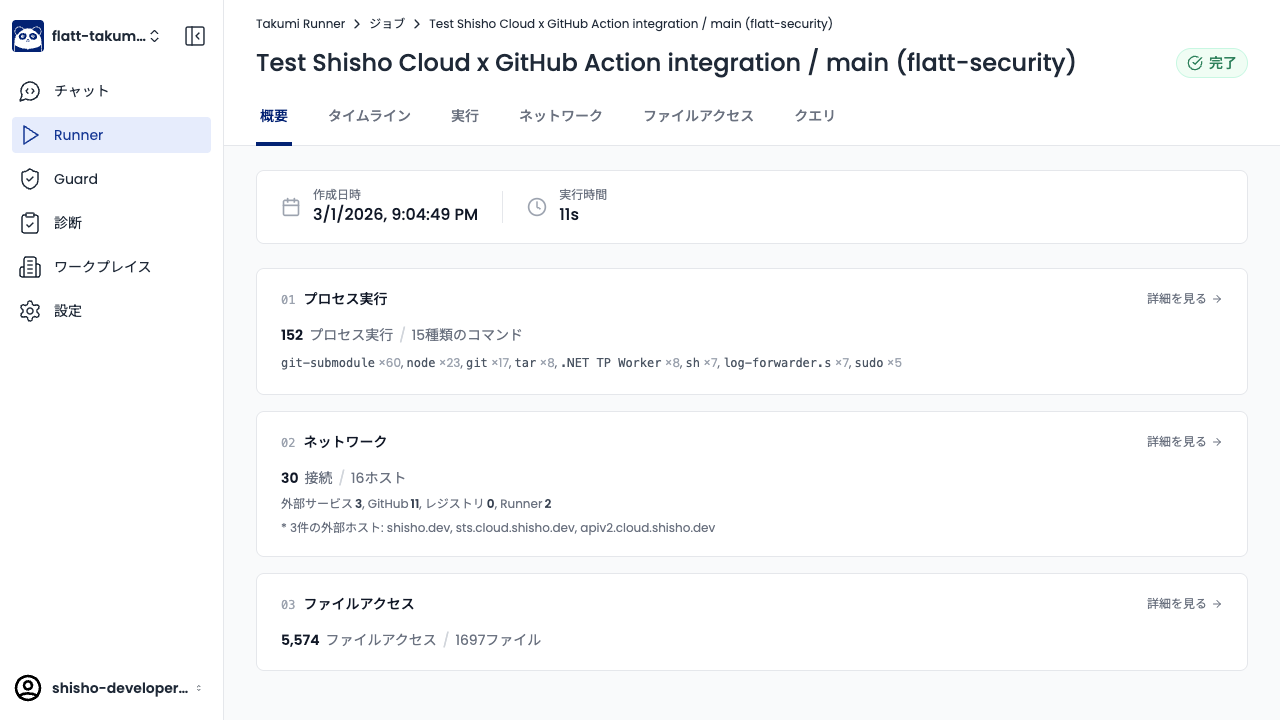
The detail view shows the job's creation time and execution duration, along with summaries of process executions, network connections, and file accesses. From "View details" in each section, you can navigate to the Timeline, Execution, Network, File Access, and Query tabs to analyze trace data in detail.
For how to use each trace data tab, see Trace Visualization.