Vulnerability Verification
The English user guide is currently in beta preview. Most of the documents have been automatically translated from the Japanese version. Should you find any inaccuracies, please reach out to Flatt Security.
Overview
Vulnerability Verification re-checks whether a vulnerability detected in a previous assessment has actually been fixed.
It re-runs the attack scenario used in the original assessment against the current state of the target application and judges whether the remediation is effective. Use it after deploying a patch to confirm that your fix works as intended.
Prerequisites
- A completed blackbox assessment that contains at least one detected vulnerability.
- No additional GitHub or repository configuration is required.
Usage
Verification is performed per vulnerability.
1. Creating a Verification Task
- Open the report page of a completed blackbox assessment.
- Click the "Verify Vulnerability" button.
- Select the vulnerability you want to verify, then click "Start Verification".
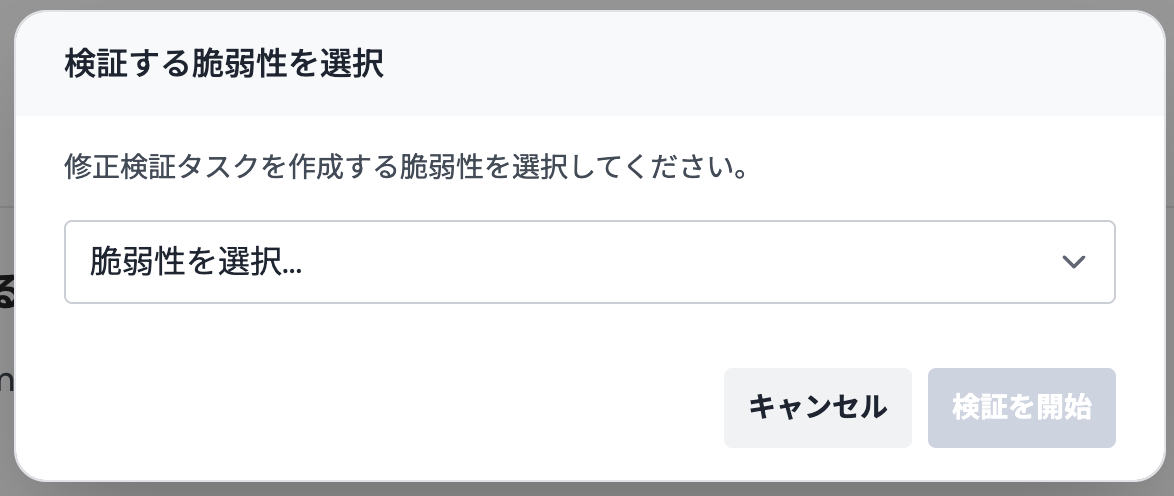
The new task appears in the Vulnerability Verification list in the side menu with a Running status.
You cannot create duplicate tasks for the same vulnerability. To re-verify, delete the existing task first and then create a new one.
2. Reviewing the Result
Processing typically takes several minutes. Select the target task from the list to open its detail panel, which shows:
- Verification Result: Whether the fix is effective (Not Vulnerable or Vulnerable), with the reasoning behind the verdict.
- Target Vulnerability: A link back to the original assessment result.
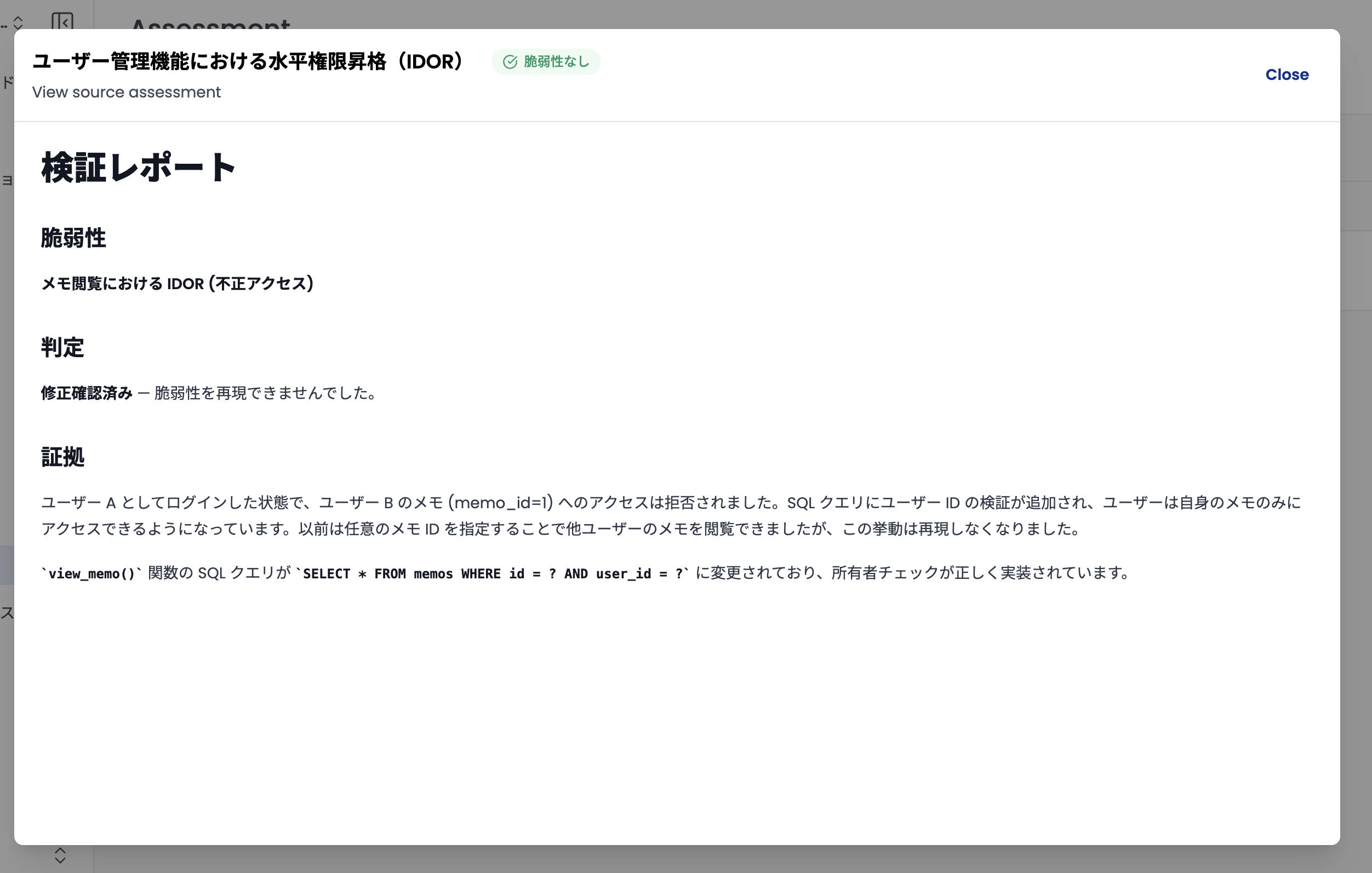
3. Task Operations
The following operations are available from each task's action menu:
- Retry: Re-run the verification with the same scenario. Use this after redeploying a fix or to retry after an error.
- Cancel: Stop a running verification.
- Delete: Remove the task from the list.
Statuses and Results
| Category | Item | Description |
|---|---|---|
| Progress | Running | Re-testing is in progress. |
| Cancelled | Execution was stopped by the user. | |
| Result | Not Vulnerable | The vulnerability could not be reproduced. The fix is effective. |
| Vulnerable | The vulnerability was reproduced. The fix is insufficient. | |
| Waiting Review | An error occurred during processing, or the result could not be determined automatically. |
Important Notes
- Scope: This feature currently supports vulnerabilities detected by blackbox assessments only.
- Verdict accuracy: Verdicts are produced automatically, so results may vary depending on network conditions or application state. For critical fixes, review the reasoning and perform a manual final check as needed.
- One finding per task: Each task verifies a single vulnerability. To verify multiple vulnerabilities, create one task per finding.